
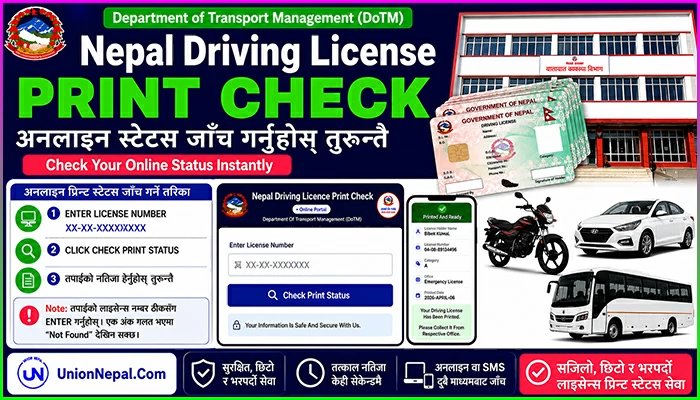
Nepal Driving License Print Check – Instant Online Check
Check you Nepal Driving License Smart Card Print Status – Instantly at Online. No Queues, No Office Visit.
Just Enter your Driving License Number and Get Real-Time Updates from the Department of Transport Management (DoTM) of Nepal without any Login.

Nepal Driving Licence Print Check
●Online PortalDepartment Of Transport Management (DoTM)

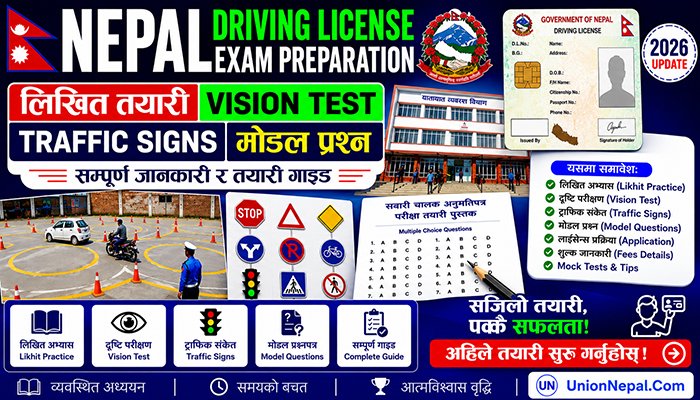
Free Online Likhit Exam Preparation – Nepal Driving License
Likhit Practice – Vision Test – Traffic Signs
Model Question Sample & Complete Guide
What Is A Driving License Print Check?
After you pass your written and practical (trial) exams, your application moves into DoTM’s printing queue. Print check simply means confirming whether your physical smart-card license has finished printing and has been dispatched to your relevant Transport Management Office for collection.
As practically, the only way to know this was to visit the office in person – sometimes repeatedly.
DoTM now publishes printed-license batches by office and here we help the user to provide relevant data to checkindividual license status instantly at online.
How To Check Your License Print Status Online
Use the Nepal Driving Licence Print Check tool above this article. It works in 3 simple steps.
- Enter your driving license number in the format XX-XX-XXXXXXXX.
- Click the Check Print Status.
- Fill the Support and Update form for future information related Nepal Driving License.
- Based on your choice click the Support & Check Print Status or Skip & Check Print Status Now.
- Your Current Status, License Holder Name, License Number, Category, Issuing Office and (If Printed) Print Date will appear instantly.
Note: Double-check every digit of your license number before searching. A single incorrect digit is the most common reason for a Not Found result.
Understanding Your Status Result
DoTM’s print records generally fall into one of the following categories. Here’s what each one actually means for you.
| Status | What It Means | What You Should Do |
| Printed And Ready | Your smart card has been printed and sent to your relevant Transport Management Office. | Visit that office with your copied token slip and original citizenship certificate to collect it. |
| Not Found | If you passed the driving test then your license may still be in the printing process or a detail was entered incorrectly. | Re-verify your license number format or check again in a few days. |
Why Is My License Taking So Long To Print?
In reality, Nepal’s smart card system has been slow for real reasons – here’s why.
- Not enough blank cards at the printing center.
- Too many applications piling up over the past few years.
- The switch from old chip cards to new QR cards, which changed how things are processed.
This doesn’t mean your application is lost. Your record stays saved even if it takes a long time. If your status still says Not Found after many days, it’s annoying – but it’s common right now, not a sign something went wrong.
Alternative Ways to Check Your Status
If you’re offline or the online tool isn’t showing your record yet, DoTM also supports the following backup methods.
1. SMS Check
If you don’t have easy internet access, you can check your license status through SMS.
- Send your license number in the correct format to DoTM’s official SMS number.
- Works from any Nepali mobile network.
- A small SMS charge usually applies.
- Handy option for areas with weak internet connection.
Different sources mention different Short Codes (33001, 31003 And 34949), so the exact number isn’t fully confirmed. Before using this method, it’s best to double-check the current number and correct message format at your local Transport Management Office or the official DoTM portal.
2. Nepali – Driving License Print Check – Tool
No more waiting in queues or guessing which SMS number to use. Our Driving License Print Check Tool (Check Above) lets you check your license print status anytime, in just a few clicks.
Simply enter your license number and get a clear, quick answer on where your application stands – no office visits, no confusing websites.
3. In-Person Visit
You can always confirm status directly at the Transport Management Office where you applied – useful if your online result has been unclear for an extended period.
Emergency / Urgent Driving License Print Check
DoTM runs a separate schedule for Emergency or Urgent Licenses, mainly for abroad workers, travelers or students as well as commercial, delivery and transport-sector workers with immediate driving needs.
Good News – our Driving License Print Check Tool (Check Above) covers both. Just enter your license number and get a clear status update, regular or emergency, without hunting through separate lists.
Does The Card Format Affect Your Print Check?
DoTM has issued licenses on 2 Different Smart-Card Formats over the years – an Older Chip-Based Card and the Newer QR-Based Card. Whichever format your application falls under, the above print-status check process itself works exactly the same way.
Collecting Your Printed License
Once your status shows Printed or Approved, bring the following to your Transport Management Office.
- Original citizenship certificate.
- Original existing license, if this was a category-add application.
- Any receipt or application slip issued during your biometric visit, if you still have it.
Checking Driving License Print Status After A Renewal Application
If you submitted a Renewal rather than a first-time application, your renewed smart card goes through the Same Printing process as a new license. Use the same Nepali Driving License Print Check tool as above with your existing license number to track it.
Why Use This Page Instead of Searching Elsewhere
Many pages ranking for license-check searches redirect you to a generic homepage instead of an actual working checker, quote an unrealistically short waiting time, or stay silent about the printing backlog many applicants are genuinely experiencing. This page is built differently:
- A working checker tool on this page, not a link that sends you elsewhere.
- Honest information about printing delays, instead of a single optimistic number.
- Every status result explained in plain language, not just raw data.
- Transparent about the source of information, based on the latest information from DoTM service.
- No duplicate or recycled content – this page stays focused on print-status checking, with deeper application, category and Fee Details available in our separate application guide.
Driving License Print Check – Frequently Asked Questions (FAQ)
Disclaimer: This Nepal Driving License Print Check Tool – Page is independently operated and not affiliated with the Department of Transport Management (DoTM) or the Government of Nepal. Print-status data is sourced from publicly available DoTM records for informational purposes only. For official verification, please refer to the DoTM portal or your local Transport Management Office.