
Birth Registration In Nepal – Online Or Offline Process
If you are searching for the reality of which method – Online or Offline – is more convenient, faster and reliable for registering your child’s birth (Birth Registration), then all the details and processes given below will be helpful for you.
Also Helpful: Nepali Citizenship – Types And Application Process 2026
Documents Required For Birth Registration In Nepal
- Documents from the Hospital certifying the child’s birth, if the child was not born in a Hospital then other documents [Such as: proof from witnesses (Neighbors Or Relatives), vaccination card]
- Citizenship of parents.
- Marriage certificate of parents.
- Citizenship of grandfather.
- In case of migration or resettlement – migration certificate or house registration certificate or tax payment certificate (To show the family’s permanent address).
Birth Registration Process In Nepal
Even now – Online birth registration facility is not available in many places of Nepal, therefore in this article, details that need to be considered while doing Online and Offline birth registration have been mentioned.
Offline Birth Registration Process In Nepal
Step 1: Carrying the necessary Documents mentioned above – go to your nearest concerned ward office.
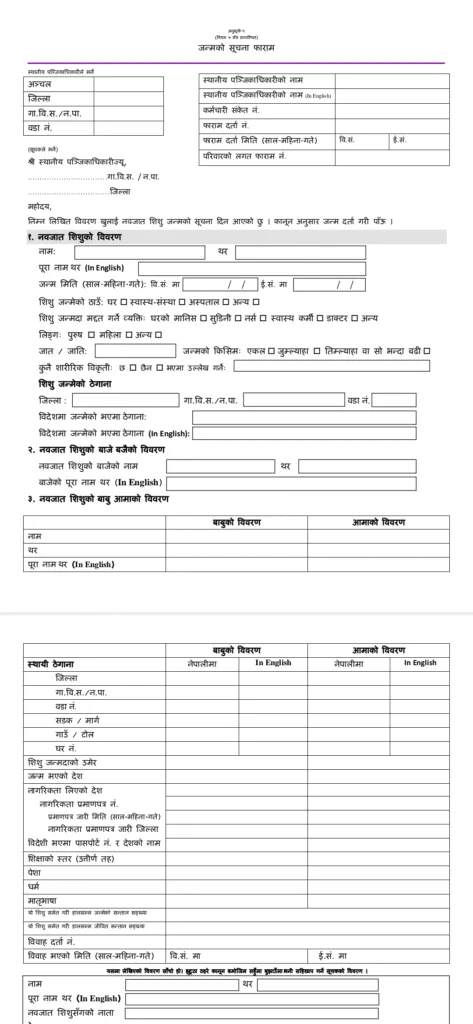
Step 2: Ask the office assistant or secretary at the ward for birth registration form (Birth Registration Form Nepal) – fill in the necessary details or in case there is no birth registration form, write an application like the one given below.
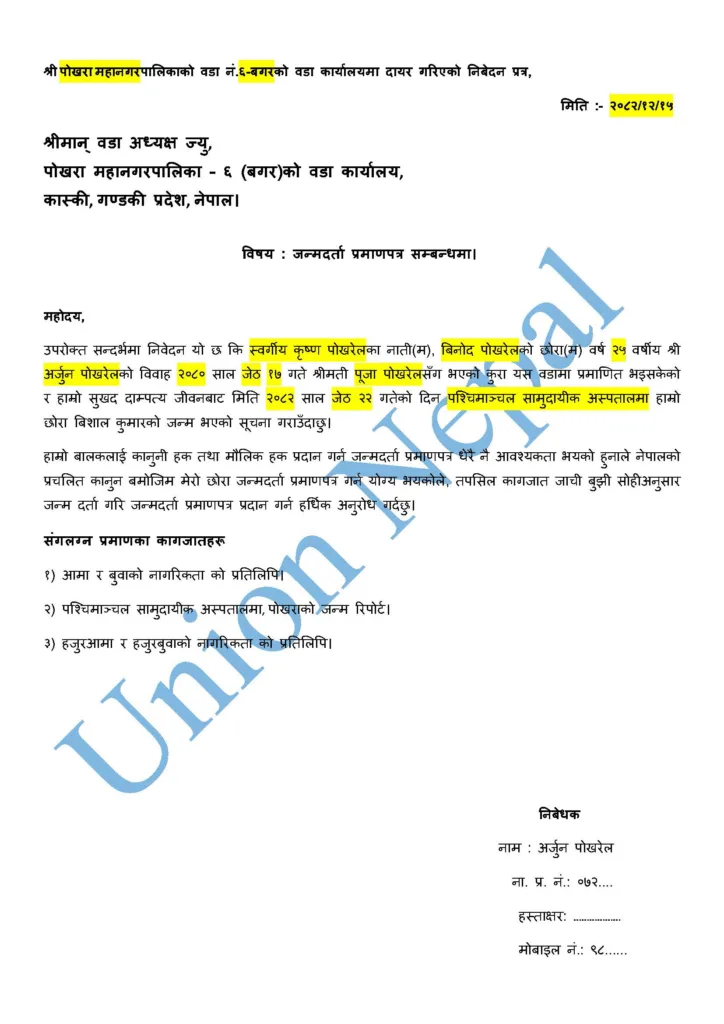
Step 3: Give the filled Form and necessary Documents to the office assistant or secretary and get it verified (Right Or Wrong Confirmation).
Step 4: If all the details are correct, the registration process moves forward.
Step 5: After that, pay the birth registration fee stated by the office [Birth Registration Fee (Fee Detail At Below)] and you will receive the Birth Registration Certificate like the sample given below.
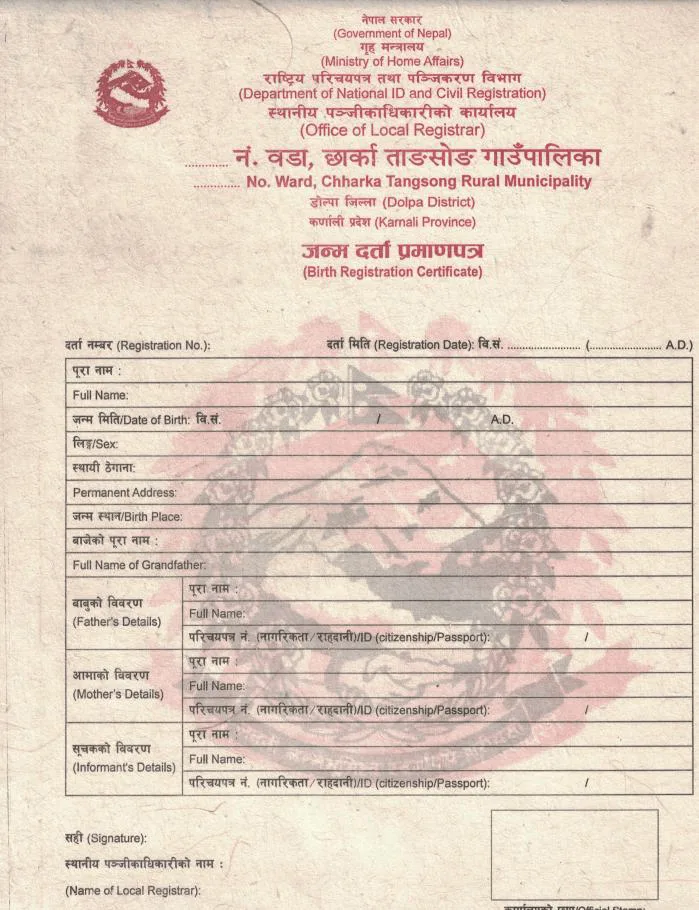
Online Birth Registration Process In Nepal
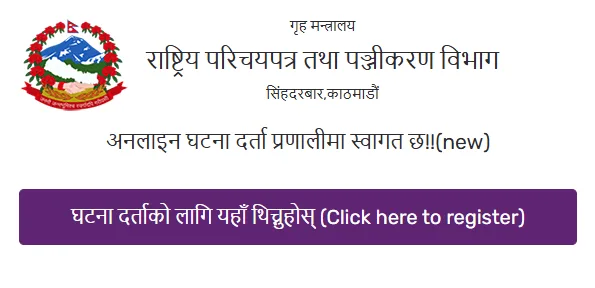
Step 1: Go to public.donidcr.gov.np Website and Click on “Click Here To Register“.
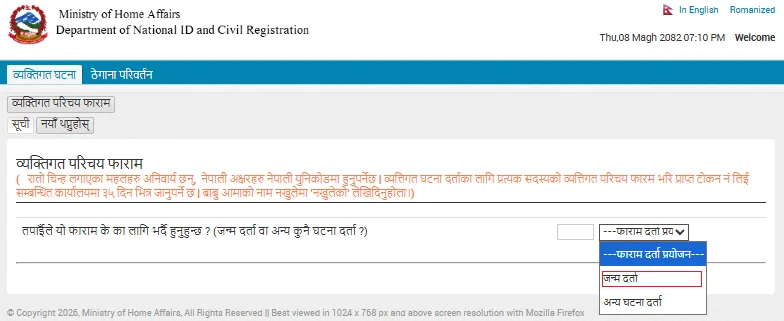
Step 2: Click on “Birth Registration” Option on the opened Page and fill the personal identification form. In which “details of the child, details of mother and father, details of grandmother and grandfather, details of the applicant filling the Form as well as details of the Ward Office to receive the Birth Registration Certificate and Mobile No. fill properly and Submit.
Step 3: After the Form submission (Submit) is successful, take the Token No. shown on the screen or received in the mobile’s Message Box and go to the concerned ward office within 35 days and pay the birth registration fee stated by the office [Birth Registration Fee (Fee Detail At Below)] and you will receive the Birth Registration Certificate like the sample given above.