
Connect IPS In Nepal – Complete Guide – Account Setup – Bank Link – Charges – Transaction Limits And Self Verification – 2026
Connect IPS – short for Connect Inter Payment System. It is Nepal’s premier interbank digital payment platform, operated by Nepal Clearing House Limited (NCHL) and authorized by Nepal Rastra Bank.
Unlike digital wallets that require you to load money in advance, Connect IPS works directly from your bank account – making every transaction immediate, traceable and secure.
Whether you want to pay utility bills, government fees and school tuition or send money to any bank in Nepal in real time, Connect IPS in Nepal is the most cost-effective way to do it. Transactions cost as little as NRs. 2 to NRs. 8 – significantly cheaper than most mobile banking services.
This comprehensive guide covers everything you need to know about Connect IPS in Nepal – how to create an account from your mobile phone, how to link your bank, what charges apply, what the transaction limits are, how to do self-verification and how to send money – including when QR scan shows ‘Invalid QR‘.
Also Useful : TDS In Nepal – Meaning – Rates And eTDS Explained
Process To Create A Connect IPS Account In Nepal
Creating a Connect IPS account from your mobile phone is straightforward. Follow these steps carefully.
Step 1: Download The App
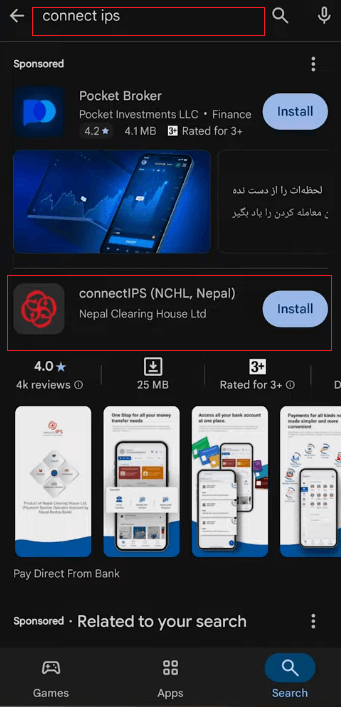
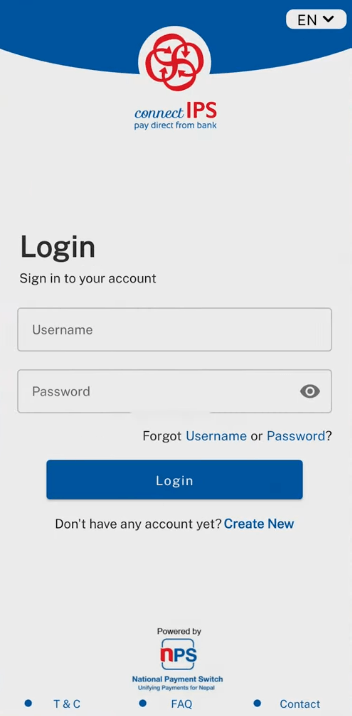
- Open Google Play Store (or Apple App Store on iPhone). Search for Connect IPS and install the official app. Once installed, open the app – you will see the tagline – Pay Direct From Bank. Online Fund Transfer, Payment Gateway, Creditors And Government Payments
Step 2: Register Your Account
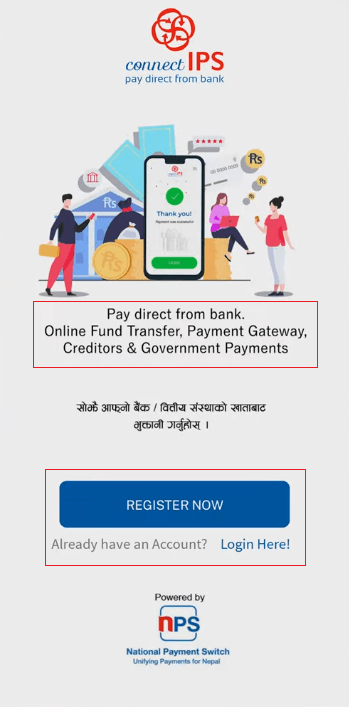
- Tap Register Now and allow the required permissions (phone calls and notifications).
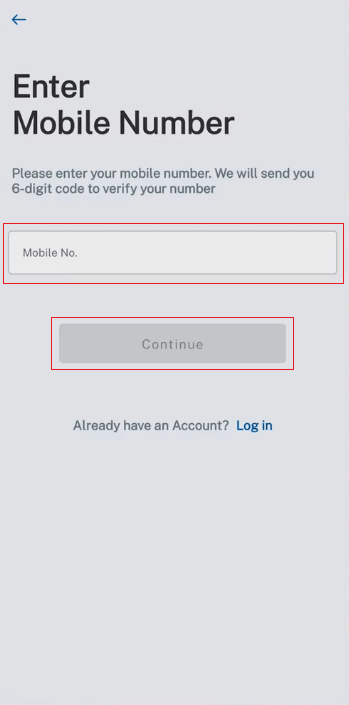
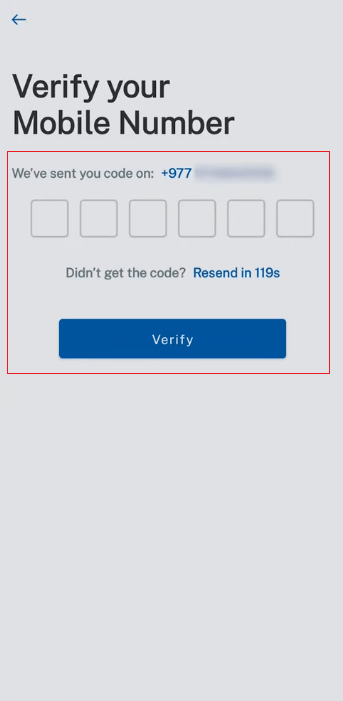
- Enter your mobile number (Note: this no. must be used in same mobile during registration process) and tap Continue. An OTP will be sent to your number – enter it to verify.
Step 3: Fill Your Account Details
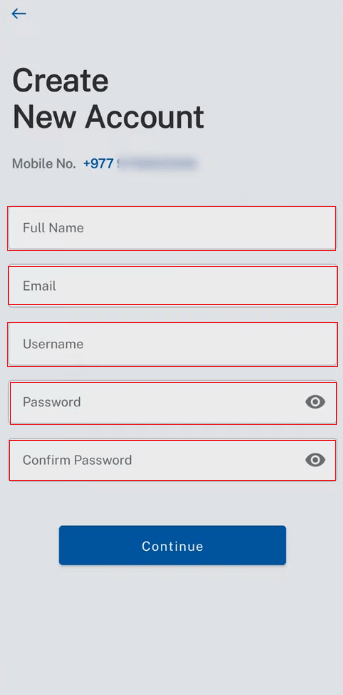
- On the Create New Account screen, fill in the following.
- Full Name – must match your citizenship/NID document.Email Address – use your primary email – this is needed for future verification and password reset.Username – create a unique username (e.g. your name + numbers). Note it down.Password – use a strong password with uppercase, lowercase and special characters.
- Confirm Password – re-enter the same password.
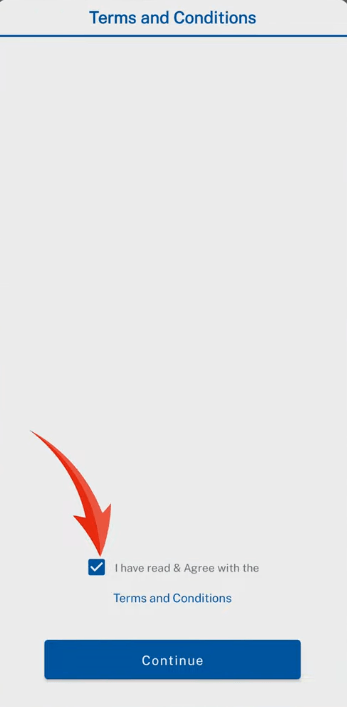
- Tap I Have Read And Agree With The Terms And Conditions then tap Continue. You will see a Registration Successful message.
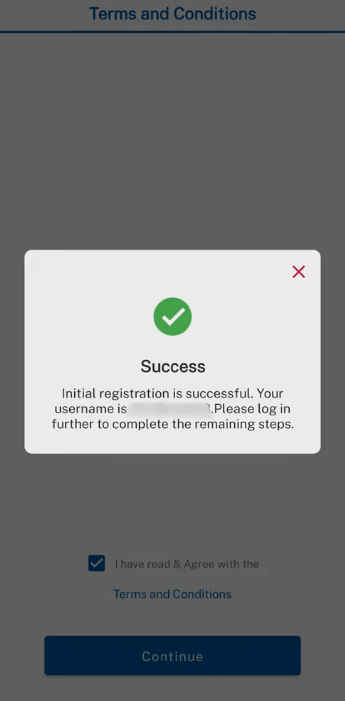
Important: Write down your Username, Password and Transaction PIN and store them safely. You will need these every time you log in and make transactions.
Step 4: Complete Your Profile (KYC)
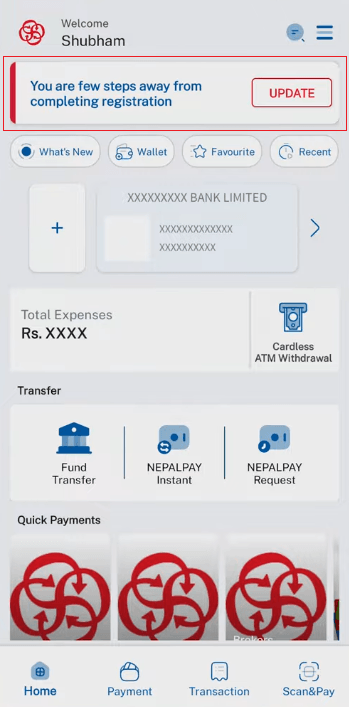
- After login, you will see a prompt You Are A Few Steps Away From Completing Registration Tap Update. Fill in.
- Full Name – Based on your citizenship.
- Mobile No. – Active phone no.
- Email – Use your professional email.
- Date of Birth – in English (AD) format.
- Gender – Male, Female or Other.
- Permanent District – select your permanent home district.
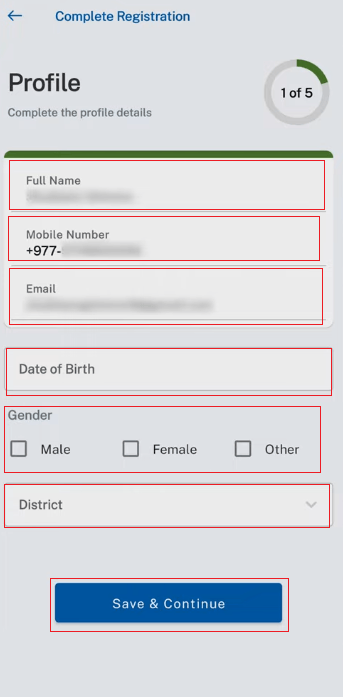
- Then tap Save & Continue
Step 5: Set Security Questions
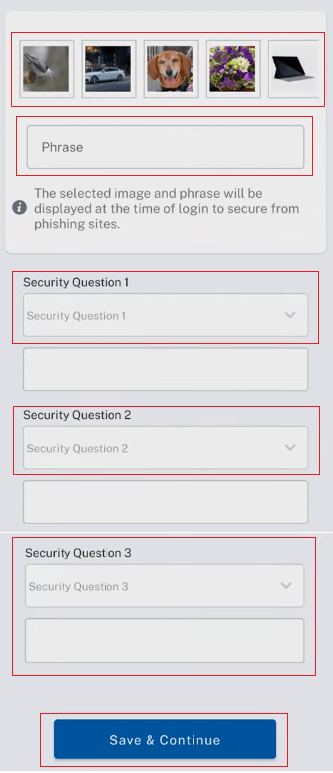
- Select one image from the grid (car, dog, flower, laptop, etc.) and answer three security questions. These are critical for password recovery – note them down carefully.
Step 6: Verify Email and Phone
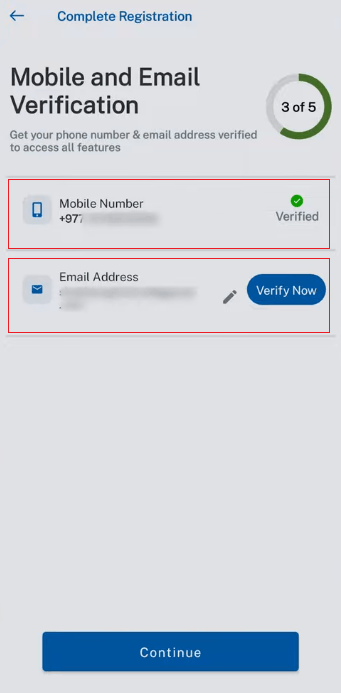
- Your phone number is already verified.
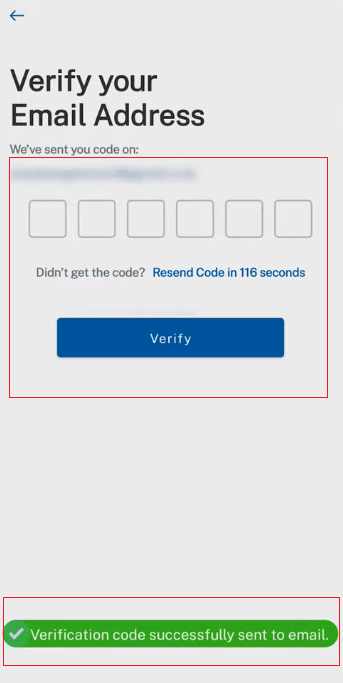
- Tap Verify Now next to your email.
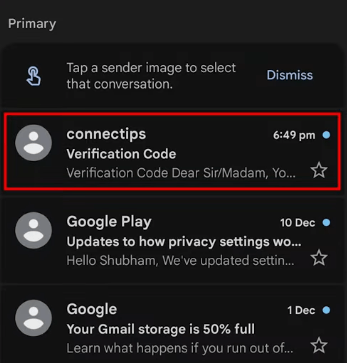
- An OTP will be sent to your Gmail/email inbox. Enter that code to verify.
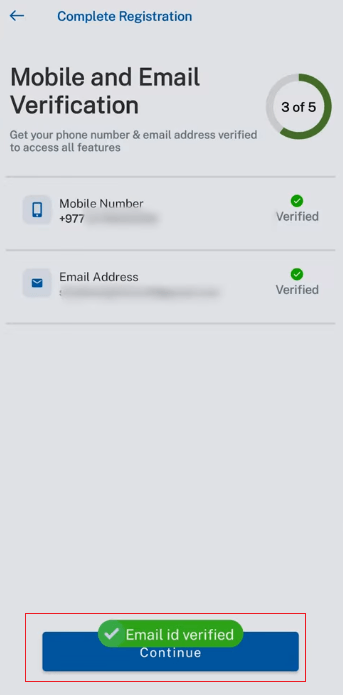
- Once both are verified, tap Continue.
Step 7: Set Your Transaction PIN
- Set a 6-digit Transaction PIN. This PIN is required every time you make a payment.
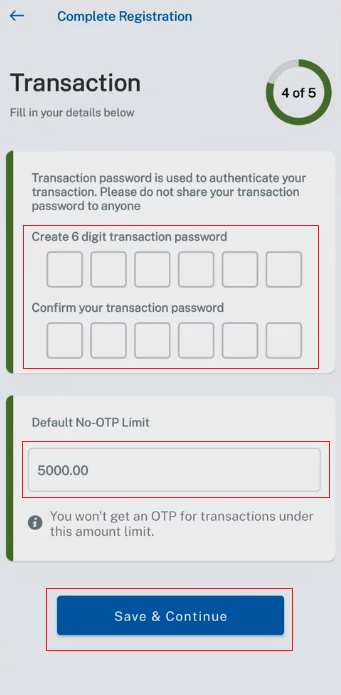
- Note: for transactions below NRs. 5,000, no OTP is required – only the PIN. For transactions above NRs. 5,000, an OTP is additionally sent to your mobile.
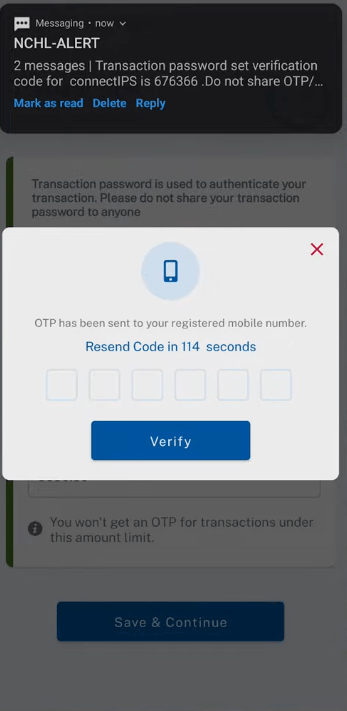
- Tap Save & Continue and verify with the OTP sent to your phone. Your account is now successfully created.
Now your next process was to link any Nepali Bank to Connect IPS which is described below in detail.
Link Your Bank Account To Connect IPS In Nepal
Method A – Self-Verification (Online – No Bank Visit Needed)
Self-verification is available for selected partner banks. It allows you to link your bank account entirely online without visiting the bank branch. Follow below Process.
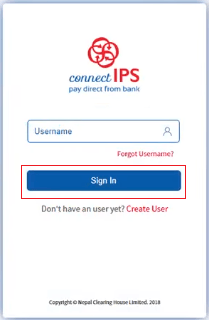
- Log in to Connect IPS by using your username and password.
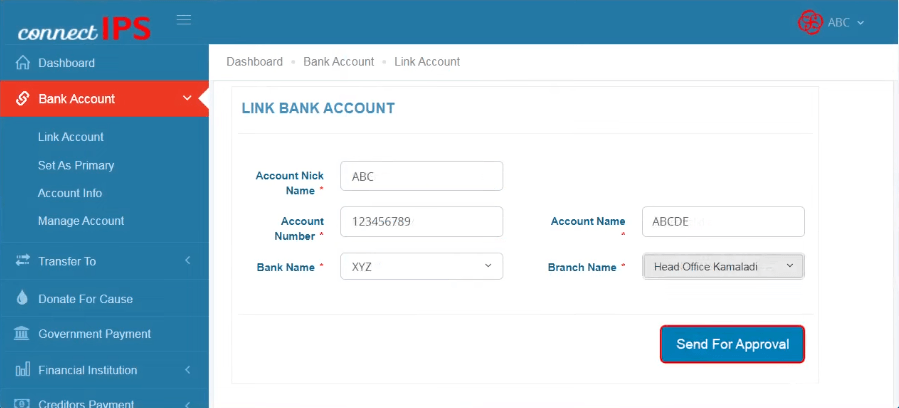
- Select bank account with link bank account and fill the necessary details such as – Account Nick Name, Account Number, Account Name, Bank Name and Branch Name. Then select Send For Approval.
- Select the Self-Verify option. If you already link you any bank account and shown as Pending Status then select Manage Account and select Self- Verify Option.
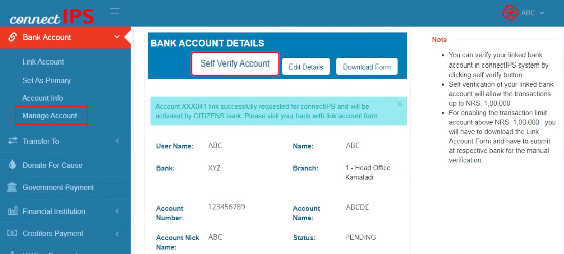
- Enter An OTP is sent to your bank-registered mobile and email.
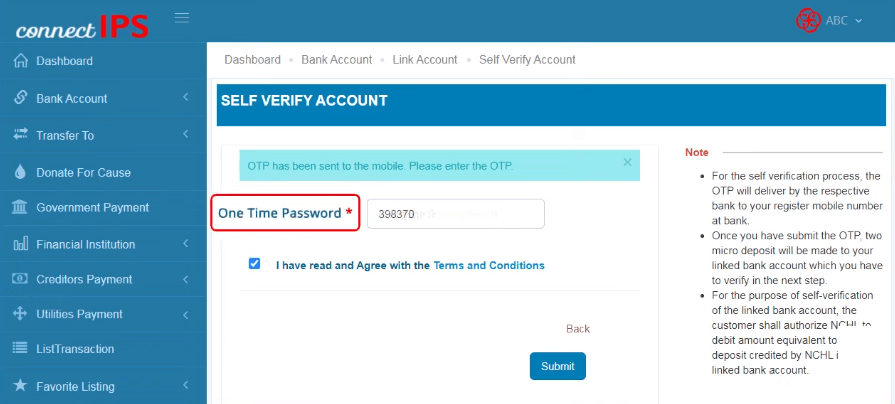
- The bank makes two very small micro-deposits into your account (check via mobile banking, internet banking or ATM mini-statement).
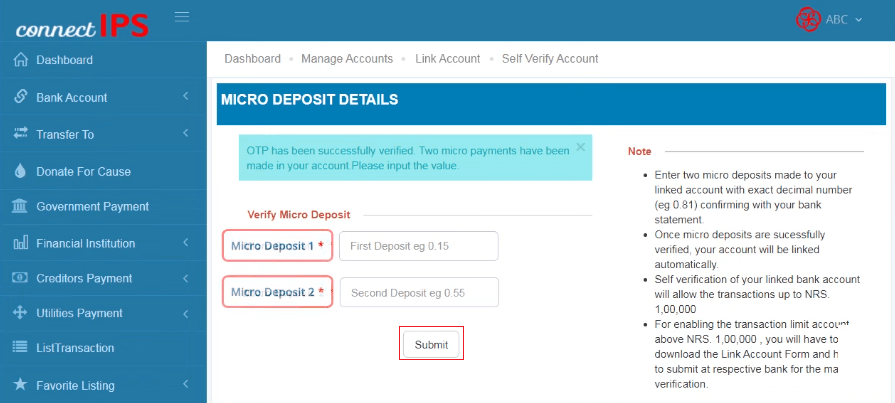
- Enter those two micro-deposit amounts in the Connect IPS form and tap Submit.
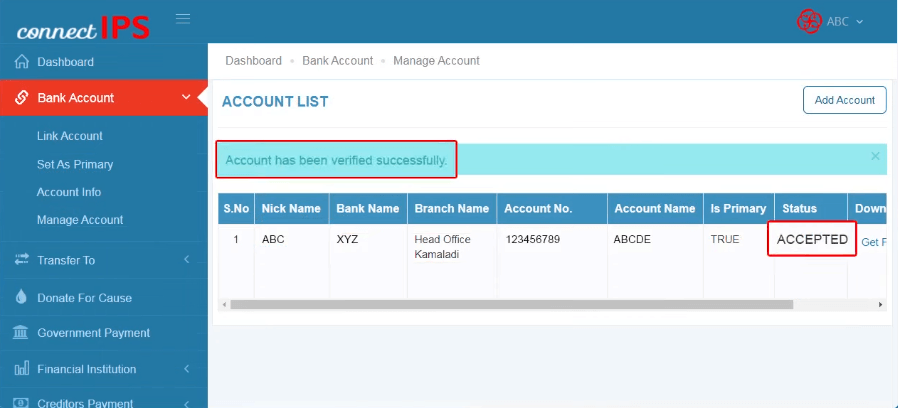
- Your account is now verified.
Self-Verification Limit: Self-verified accounts can transact up to NRs. 1, 00,000 per transaction and per day on both mobile and web. For higher limits (up to NRs. 20, 00,000/day on web), you need bank-branch verification.
Method B – Bank Branch Verification
A Connect IPS account without a linked bank account cannot perform any transactions. Here is how to add your bank.
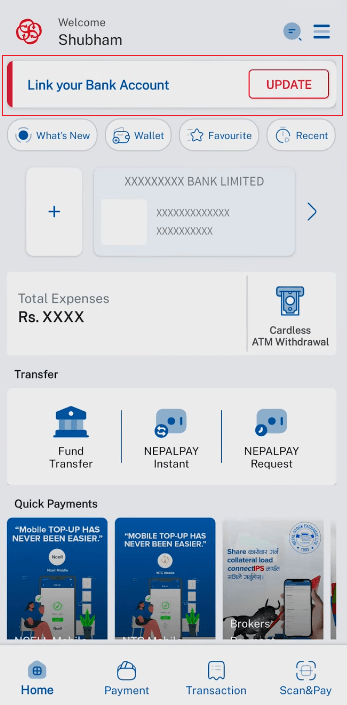
- Log in to Connect IPS – Add Bank/Link Your Bank Account – Enter account nickname, account name, account number, bank name and branch name.
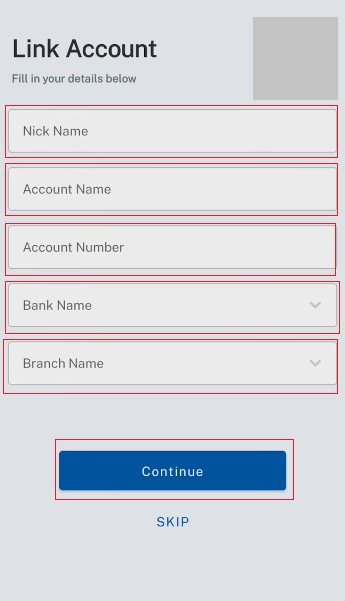
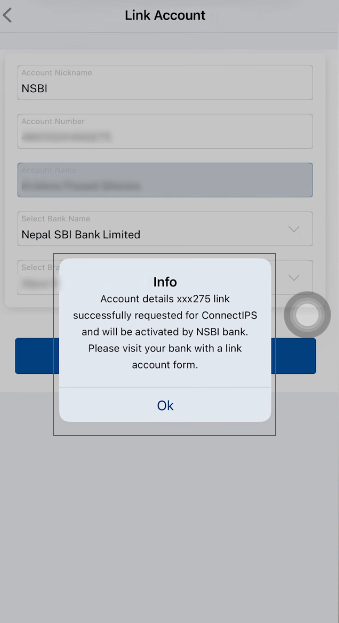
- Tap Continue Or Link Account – you will see Successfully Requested.
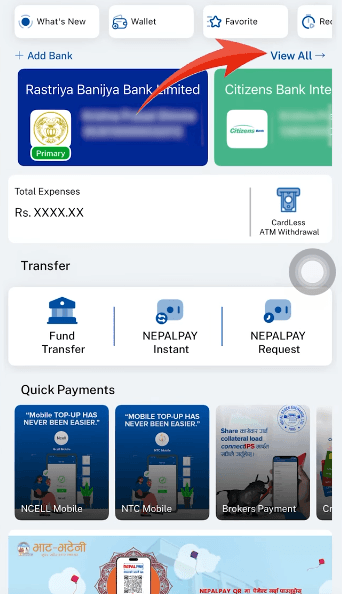
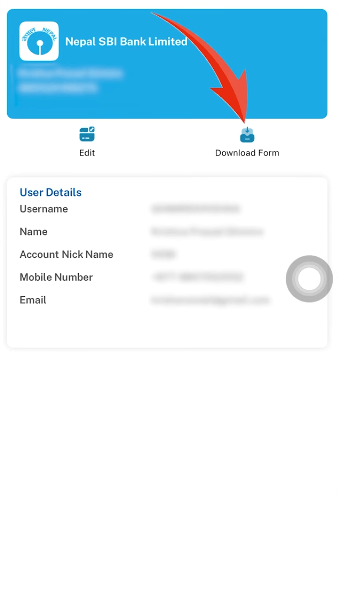
- Go to View All find the Pending Account – tap Download Form.
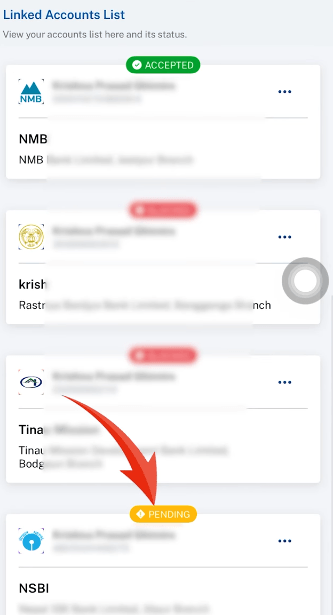
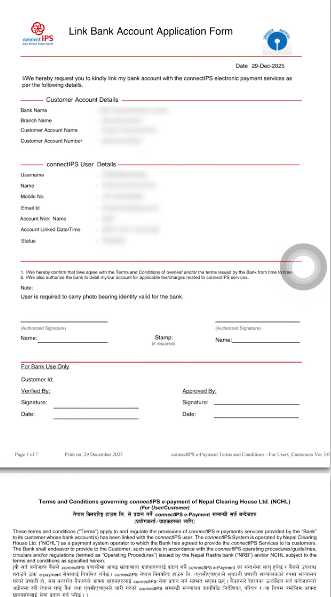
- Print the Downloaded PDF, sign every page.
- Take the Signed Form on Every PDF and a photocopy of your Citizenship to your bank branch.
- Submit at the bank – processing takes a few minutes or hours.
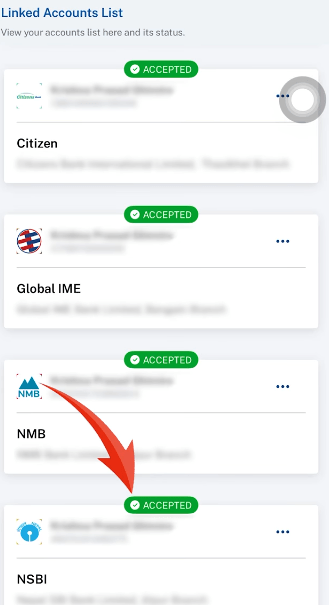
- Once approved, refresh Connect IPS – your bank will show as Accepted/Linked
Banks Supporting Connect IPS In Nepal
Connect IPS is compatible with all major commercial and development banks in Nepal, including:
Commercial Banks (A-Class)
- Agricultural Development Bank Ltd.
- Bank of Kathmandu Ltd.
- Citizens Bank International Ltd.
- Everest Bank Ltd.
- Global IME Bank Ltd.
- Himalayan Bank Ltd.
- Kumari Bank Ltd.
- Laxmi Bank Ltd.
- Nabil Bank Ltd.
- Nepal Bank Ltd.
- Nepal Investment Mega Bank Ltd.
- Nepal SBI Bank Ltd.
- NIC Asia Bank Ltd.
- NMB Bank Ltd.
- Prabhu Bank Ltd.
- Prime Commercial Bank Ltd.
- Rastriya Banijya Bank Ltd.
- Sanima Bank Ltd.
- Siddhartha Bank Ltd.
- Standard Chartered Bank Nepal Ltd.
Development Banks (B-Class)
- Garima Bikas Bank Ltd.
- Green Development Bank Ltd.
- Jyoti Bikas Bank Ltd.
- Kamana Sewa Bikas Bank Ltd.
- Lumbini Bikas Bank Ltd.
- Mahalaxmi Bikas Bank Ltd.
- Miteri Development Bank Ltd.
- Muktinath Bikas Bank Ltd.
- Shangrila Development Bank Ltd.
- Sindhu Bikash Bank Ltd.
- Excel Development Bank Ltd.
Finance Companies (C-Class)
Best Finance Company Ltd.
- Central Finance Ltd.
- Goodwill Finance Ltd.
- Guheshwori Merchant Banking & Finance Ltd.
- ICFC Finance Ltd.
- Manjushree Finance Ltd.
- Nepal Finance Ltd.
- Progressive Finance Ltd.
- Samriddhi Finance Company Ltd.
- Shree Investment & Finance Co. Ltd.
NOTE
- Connect IPS supports 50+ financial institutions in Nepal.
- Some banks may require manual verification.
- Operated by Nepal Clearing House Limited (NCHL).
How To Send Money Using Connect IPS In Nepal
Method 1: Send Via Bank Account Number
- Log in to Connect IPS – Select your linked bank.
- Tap Fund Transfer – Bank Account.
- Select the source bank (your bank).
- Enter the Amount to transfer.
- Under Receiver Details: enter recipient’s Account Number, Account Holder Name and Bank Name.
- Add a transaction detail note (e.g. ‘Personal’, ‘Rent’, etc.)
- Tap Pay – review the charge breakdown shown on screen.
- Confirm with your 6-digit Transaction PIN.
- An OTP is sent to your mobile (for amounts above NRs. 5,000) – enter it.
- Transaction Successful message appears.
Method 2: Send Via Mobile Number (Nepal Pay Instant)
Useful when QR scan shows Invalid QR – instead of scanning, use the mobile number route.
- Log in Connect IPS and Tap Nepal Pay Instant on the home screen.
- Select Bank – “Send Money to Any Bank Using Mobile Number of Recipient”.
- Select the recipient’s Bank.
- Enter the Amount.
- Under Receiver Details: enter the mobile number linked to that bank account.
- Add a transaction detail – Tap Pay.
- Verify with PIN and OTP – Transaction Successful.
Fix: Invalid QR Code Error
If Connect IPS shows ‘Invalid QR’ when you try to scan and pay, switch to the Nepal Pay Instant – Bank – Mobile Number method described above.
This bypasses the QR issue entirely and sends money directly using the recipient’s bank-registered phone number.
Connect IPS Charges And Fees In Nepal (2026)
One of the biggest advantages of Connect IPS in Nepal is its minimal transaction charges. Compared to mobile banking (typically NRs. 10 – 30 per transfer), Connect IPS charges are significantly lower.
| Transaction Amount | Connect IPS Charge | Remarks |
| Up to NRs. 5,000 | NRs. 2 | No OTP required |
| NRs. 5,001 – NRs. 50,000 | NRs. 5 | OTP verification required |
| NRs. 50,001 – NRs. 2,00,000 | NRs. 8 | OTP verification required |
| Above NRs. 2,00,000 | NRs. 8 + bank charge | Bank-verified account required |
Charges are indicative – verify with Connect IPS/NCHL for latest rates. For regular users who frequently transfer money between banks or run small businesses needing multiple transfers daily, Connect IPS delivers substantial savings over time compared to mobile banking apps.
Connect IPS Transaction Limits in Nepal (2026)
Connect IPS imposes transaction limits that vary based on how your bank account is verified.
| Verification Type | Platform | Per Transaction | Per Day |
| Self-Verified | Mobile App | NRs. 1,00,000 | NRs. 1,00,000 |
| Self-Verified | Web Browser | NRs. 1,00,000 | NRs. 1,00,000 |
| Bank-Verified | Mobile App | NRs. 2,00,000 | NRs. 2,00,000 |
| Bank-Verified | Web Browser | NRs. 20,00,000 | NRs. 20,00,000 |
Limits subject to change. Always check the Connect IPS app or NCHL website for current limits.
Key Takeaway: Self-verification is convenient for everyday users (up to NRs. 1 lakh/day). For high-volume users such as businesses or regular large transfers, bank-branch verification unlocks up to NRs. 20 lakh/day on web.
What Can You Pay With Connect IPS In Nepal?
Connect IPS in Nepal supports a comprehensive range of payment categories.
Utility Bill Payments
- Electricity (NEA bills).
- Water supply (KUKL and municipal boards).
- Internet and broadband services.
- Mobile top-up (Ncell, NTC, Smart Cell).
- TV/Cable (dish, IPTV).
Government And Official Payments
- Income tax payments (IRD – Inland Revenue Department).
- FCGO payments (Financial Comptroller General’s Office).
- Lok Sewa Aayog (Public Service Commission) exam fees.
- Passport fees.
- Vehicle tax (no more long queues – pay from home).
Education, Insurance & E-Commerce
- School and college fees.
- Insurance premium payments.
- E-commerce and online shopping portals.
- Nepal Pay QR – scan and pay at physical shops and merchants.
Is Connect IPS Safe? Security Features Explained
Connect IPS employs a multi-layered security architecture designed to protect your financial transactions.
Security Layers
- Two-Factor Authentication (2FA) is mandatory for every transaction – your Transaction PIN plus a One-Time Password (OTP) sent to your registered mobile/email.
- Phishing protection: on login, Connect IPS displays the security image you selected during registration – if you do not see it, you may be on a fake/phishing website.
- Every transaction triggers an SMS and email notification to your registered contacts.
- Additional OTP is required for high-value transactions (above NRs. 5,000).
- Manage active device sessions: view which devices are logged in and remove unauthorized ones at any time.
Pro Tip – Stay Safe: Never share your Transaction PIN, OTP or security question answers with anyone – including bank staff. Connect IPS or NCHL will never ask for your PIN over call or email. Regularly review your active devices under account settings.
Connect IPS Vs Mobile Banking In Nepal – Which Is Better?
| Feature | Connect IPS | Mobile Banking |
| Wallet top-up needed | No – direct from bank | No – direct from bank |
| Multiple banks one login | Yes – all banks one app | No – one app per bank |
| Transfer charges | NRs. 2 – NRs. 8 | NRs. 10 – NRs. 30+ |
| Government payments | Yes (full support) | Limited (varies by bank) |
| QR payments | Yes – Nepal Pay QR | Yes – varies by bank |
| Inter-bank transfer speed | Real-time | Real-time / T+1 |
| Transaction limit (web) | Up to NRs. 20 lakh/day | Varies by bank |
| Best for | Multi-bank, frequent transfers | Single bank users |