
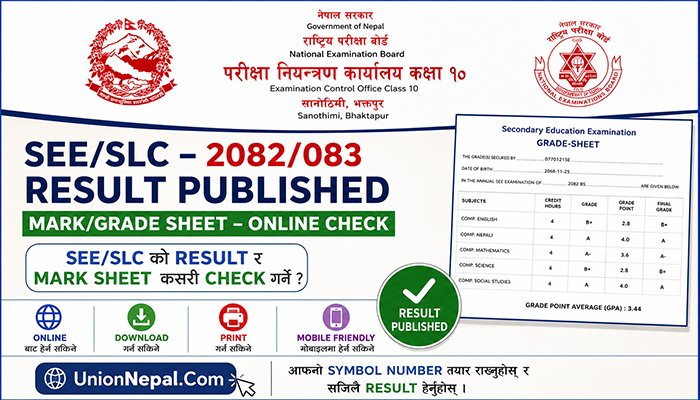
SEE/SLC – 2082/083 Result – Mark/Grade Sheet – Online Check
If you are a 2082 SEE Examinee and want to view the examination Result and Mark/Grade Sheet – Online, then you have come to the right page or article.
Update (2083/01/26 – Nepali Calendar) : The SEE 2082/083 Result has been Officially Published. Full details Updated Below.
Useful For Your Friends :: SEE/SLC Supplementary (Purak) Exam Routine – 2082/083
According to the official notice published by the National Examination Board (NEB) – Pariksha Niyantran Karyalay – Class 10, Sanothimi, Bhaktapur on 2083/01/26, the result details of the Regular and Grade Improvement (Grade Briddhi) examinations for SEE 2082 can be checked via SMS, IVR and Websites through officially authorized platforms.
There are Two (2) Main Methods to view the SEE Result and Mark/Grade Sheet – Website and SMS/IVR Method.
The complete and step-by-step way to view the SEE/SLC 2082 Result and Mark/Grade Sheet through these 2 Methods is properly mentioned below.
Method 1: View SEE Result And Mark/Grade Sheet Via Website
To view the SEE Result and Mark/Grade Sheet through this method, you must have Internet/Mobile Data. Then follow the steps given below.
Step 01 – Open any Browser (Google Chrome, Opera, Firefox, Brave, Etc.) on your Mobile or Laptop/Desktop.
Step 02 – Open the Google Search Box inside the Browser.
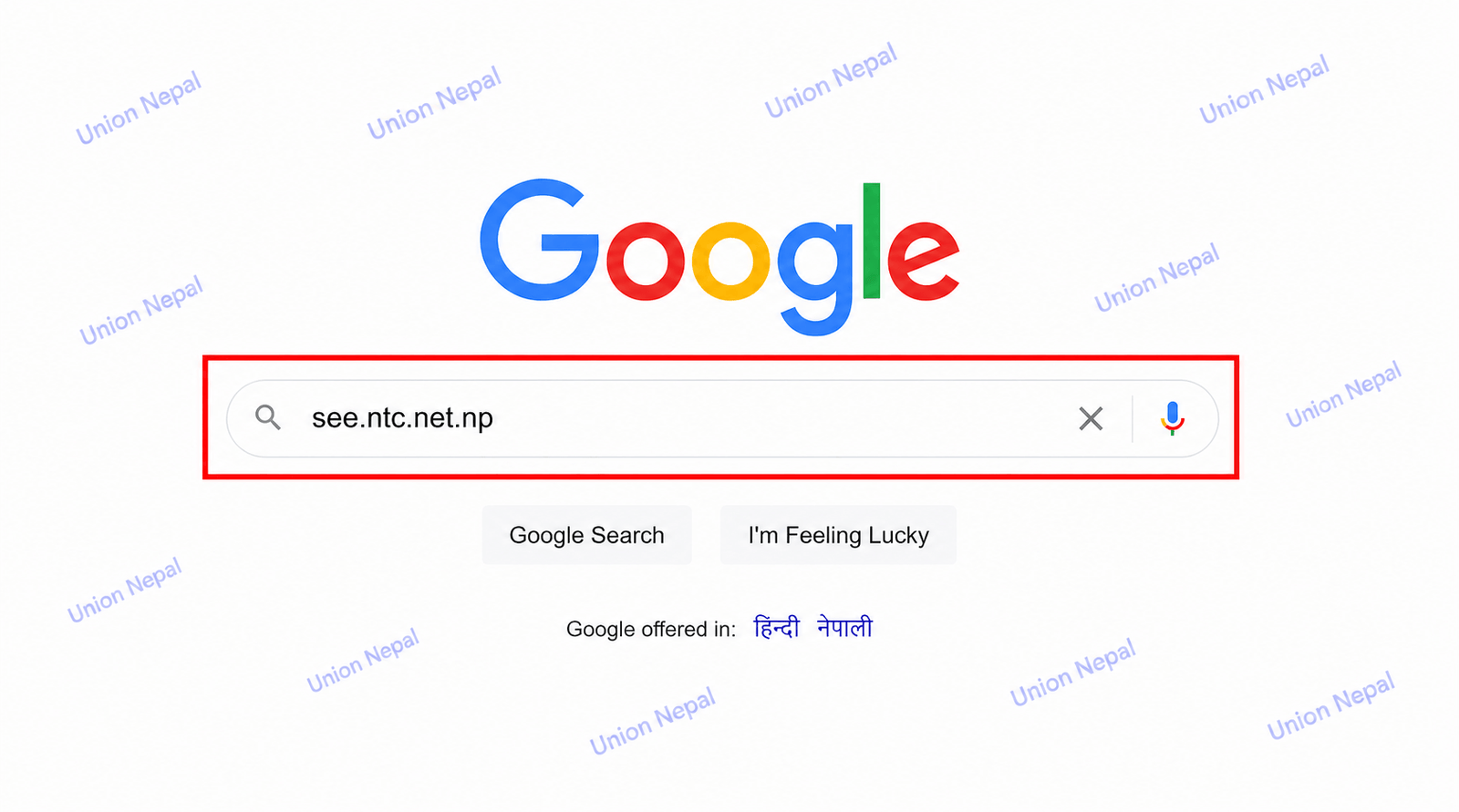
Step 03 – Type see.ntc.net.np in the Google Search Box and Search.
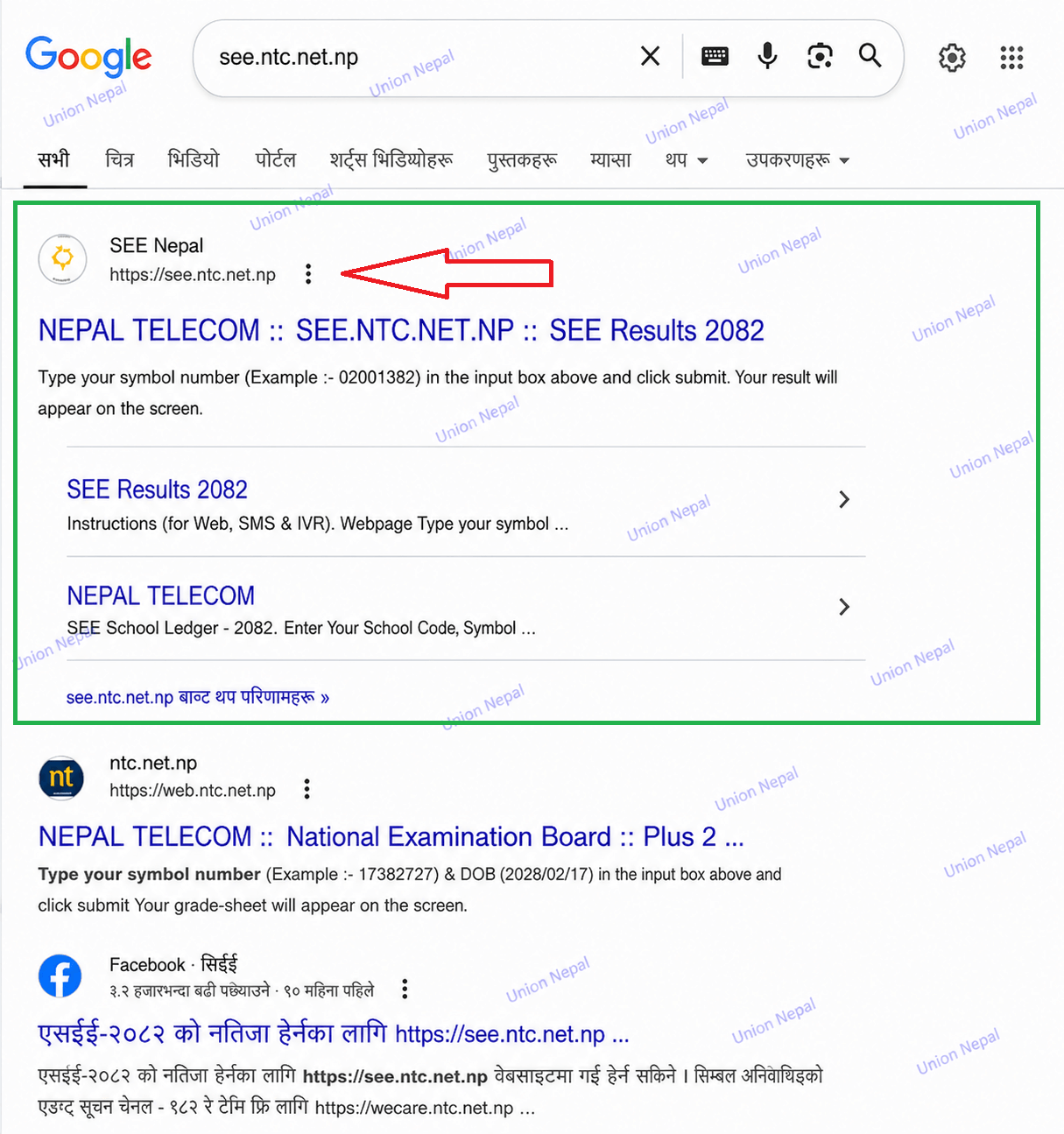
Step 04 – The first website that appears is see.ntc.net.np. Open that website.
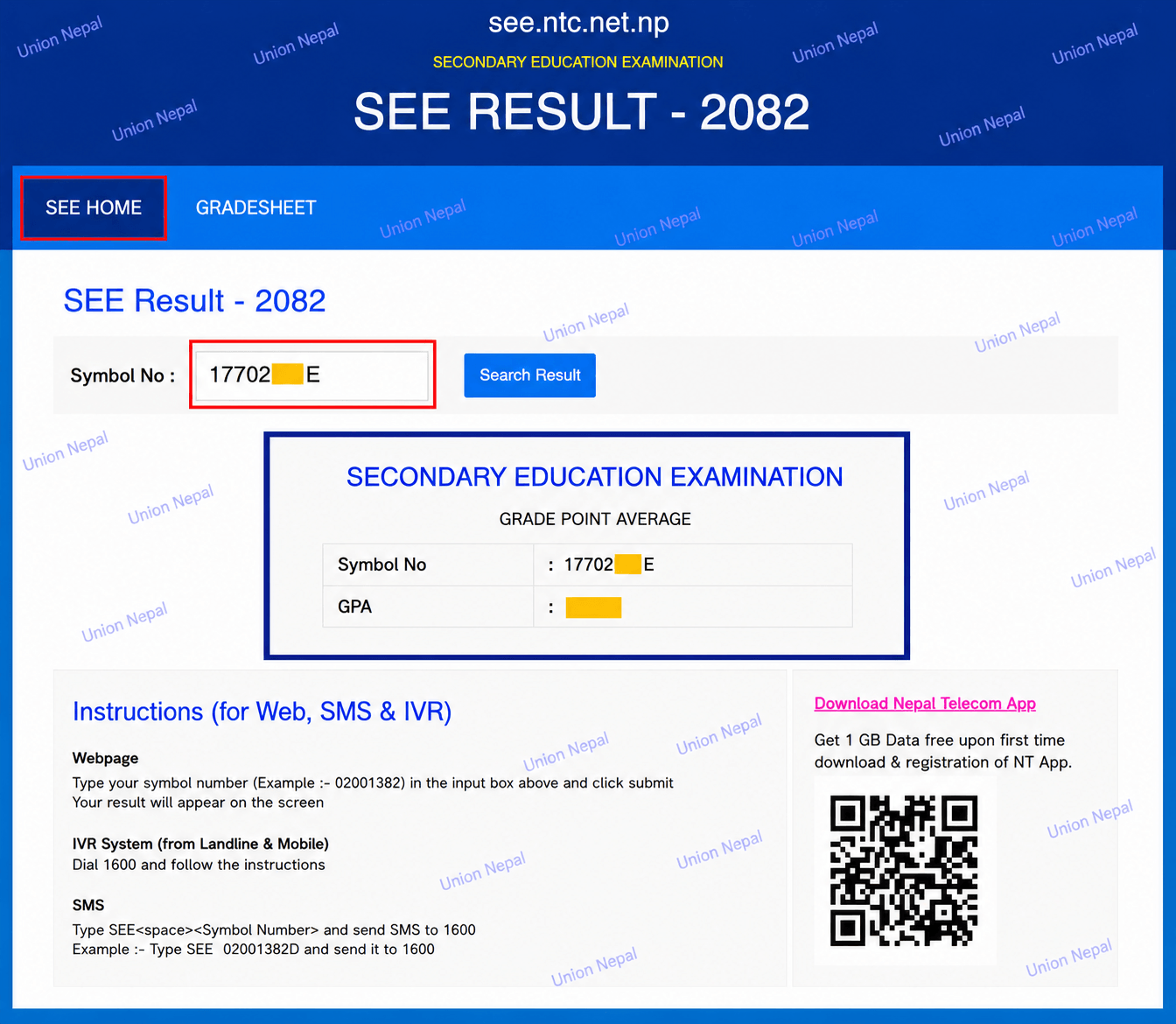
Step 05 – If you want to check general Pass/Fail, enter your Symbol Number (Example: 0201382D) and click on Search Result.
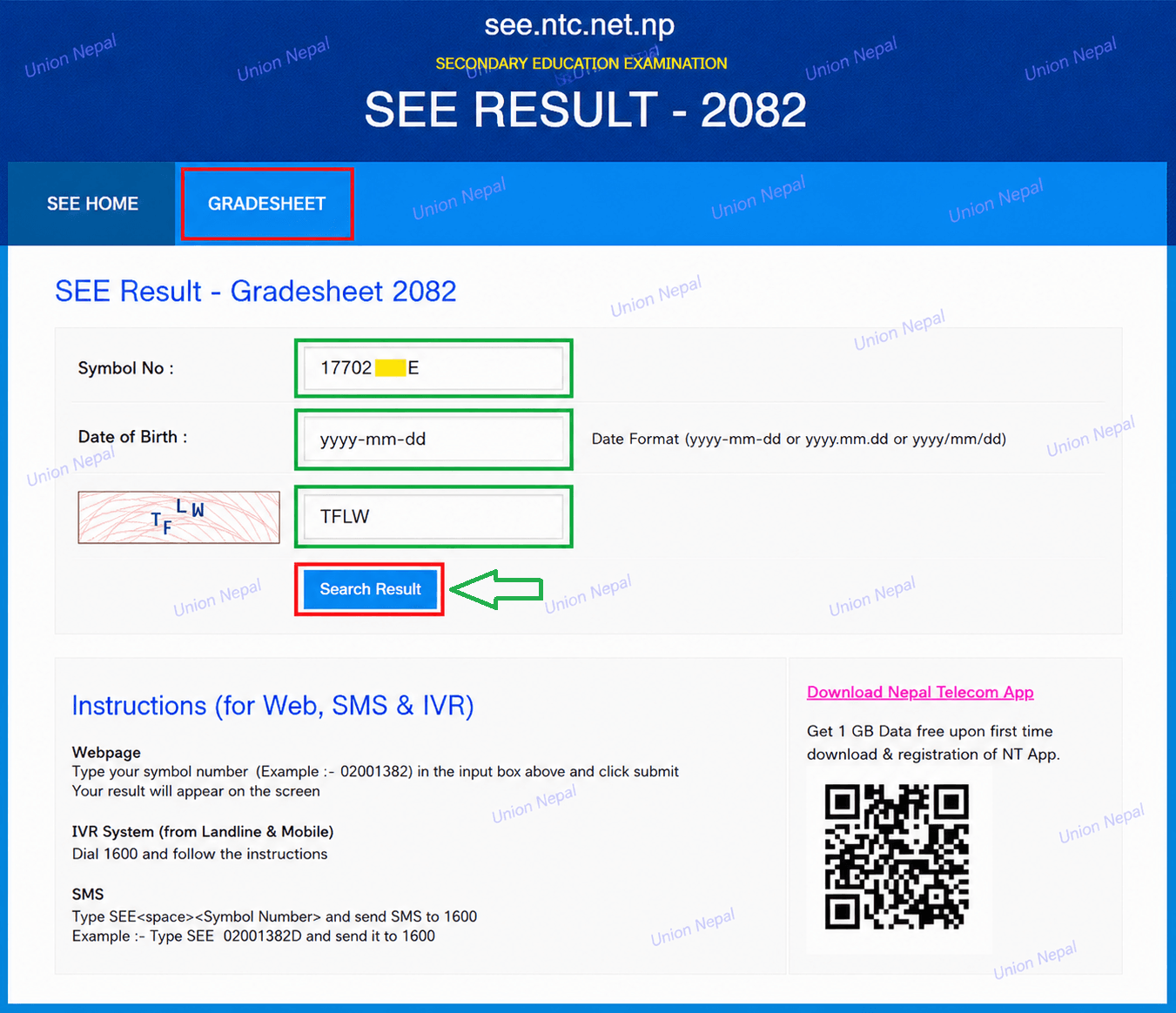
Step 06 – If you want to view your Result with Mark/Grade Sheet, click on GRADESHEET, enter your Symbol Number (Example: 0201382D), Date Of Birth (YY-MM-DD) and CAPTCHA then click on Search Result.
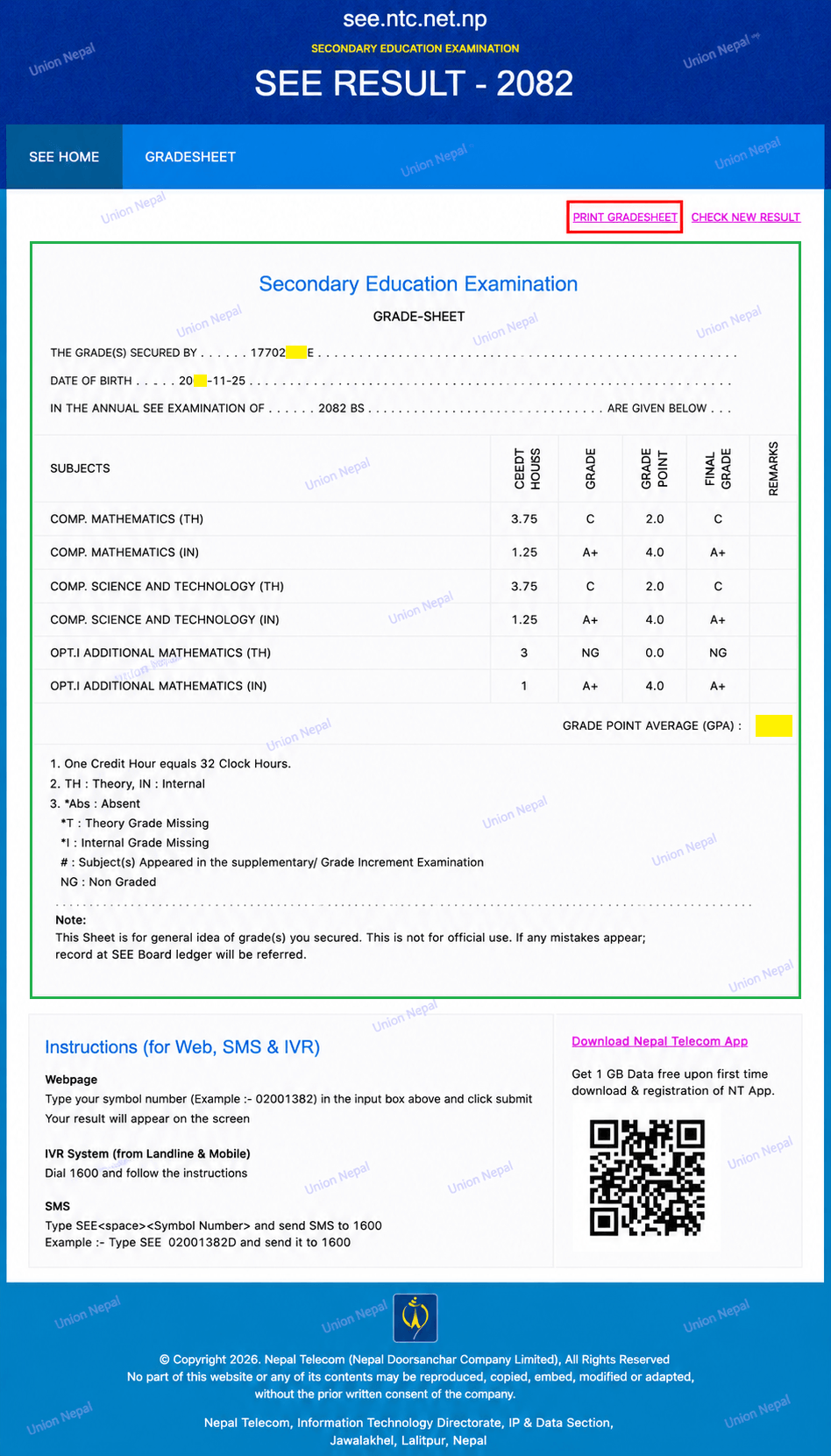
Step 07 – You can easily Download and Open your Mark Sheet/Grade Sheet on your Mobile or Laptop/Desktop and Print it on PDF A4 Paper.
Other Relevant Websites For SEE/SLC 2082/083 Result
According to the official notice published by NEB on 2083/01/26, the SEE 2082/083 Result can also be checked from the following 14 Officially Authorized Websites.
| S.N. | Organization / Firm Name | Website Address |
| 1 | NEB – Pariksha Niyantran Karyalay, Class 10, Sanothimi, Bhaktapur | www.see.gov.np |
| 2 | National Examination Board (NEB), Sanothimi | www.neb.gov.np |
| 3 | Nepal Telecom | www.see.ntc.net.np |
| 4 | Kantipur Publications Ltd. | www.ekantipur.com |
| 5 | Edu Sanjal Pvt. Ltd. | www.see.edusanjal.com |
| 6 | IME Khalti Ltd. | khalti.com/app |
| 7 | College Info Nepal Pvt. Ltd. | see.collegeinfonepal.com |
| 8 | The Connect Plus Pvt. Ltd. | theconnectplus.com |
| 9 | Ncell Axiata Limited | ncellapp.ncell.com.np/result |
| 10 | Neema Education Foundation | result.neemaacademy.com |
| 11 | Phoenix Education Foundation Pvt. Ltd. | resultayo.com |
| 12 | Ambition Guru Pvt. Ltd. | see.ambition.guru |
| 13 | NEB Results & News Pvt. Ltd. | see.merostudy.net |
| 14 | Indrani Times Network Pvt. Ltd. | nebeducation.com/see |
Method 2: View SEE Result Through SMS/IVR
In 2-3 days after the SEE/SLC Result is published, the Server becomes Highly Loaded and websites may not respond quickly. In such situations, the SMS/IVR method is the most suitable alternative.
Also, in places where Internet Facilities Are Not Available or where Mobile Data Is Not Working, the SMS/IVR method is a reliable option.
Here, SMS means Short Message Service and IVR means Interactive Voice Response.
According to the Official NEB Notice (2083/01/26), the following 3 Organizations are officially authorized to provide the SEE 2082/083 Result Via SMS and IVR.
| S.N. | Organization / Firm Name | Service Type | Short Code |
| 1 | Nepal Telecom | SMS / USSD & IVR | 1600 |
| 2 | Janakin Technology Pvt. Ltd. | SMS | 35001 |
| 3 | Ambition Guru Pvt. Ltd. | SMS | 31061 |
For Nepal Telecom (NTC) SIM Users
- SMS Method: Go to your Mobile’s Message Box, write SEE, leave one space, write your Symbol Number and send to 1600. For Example: Write SEE 0201382D and send to 1600. After a moment, your result will appear in your Message Box.
- IVR Method: Go to your Mobile’s Call Box, call 1600 and dial your Symbol Number. You can hear your SEE Result in Voice Format.
For Ncell SIM Users
- Ncell users can check the SEE 2082 Result via – ncellapp.ncell.com.np/result as the official Ncell Website.
For Other Network SIM Users (Short Code 35001)
SMS Method (35001): Go to your Mobile’s Message Box, write SEE, leave one space, write your Symbol Number and send to 35001. This service is provided by Janakin Technology Pvt. Ltd. For Example: Write SEE 0201382D and send to 35001.
Short Code 31061 – Ambition Guru
SMS Method (31061): Go to your Mobile’s Message Box, write SEE, leave one space, write your Symbol Number and send to 31061. This service is provided by Ambition Guru Pvt. Ltd. For Example: Write SEE 0201382D and send to 31061.
Important Note – All the above websites and short codes are officially authorized by NEB as per the notice published on 2083/01/26. Only use these official platforms to check your SEE/SLC – 2082/083 result. Avoid using any unverified third-party apps or websites to protect your personal information.