
Nepal Voter ID Card Registration – Online Application Guide
The Online Registration Process for Voter ID Card has now been made even easier and simpler in Nepal. Targeting Nepali citizens residing in home country or abroad – Election Commission Nepal has started Online Voter List Registration System – Through which you can register your name in the voter list online.
Before applying for Voter ID Card, please read the FAQ (At The End Of The Article) given below for the required documents and things to note.
Also Read: National Identity Card – Nepal – Online Or Offline
Voter ID Card Online Registration Steps
If you are – registering or applying for Voter ID Card for the first time or want to update previous details – the Step Or Guide given below will help you understand the complete Online Registration Process.
Step 1: Go to the Official Website of Election Commission.
The Website of Election Commission – Nepal www.election.gov.np has the following 5 Options.
- Enter Website.
- Online Pre-Enrollment (Voter Pre-Registration and Update).
- Voter Roll – Search your name.
- Election Result.
- E-Bulletin.
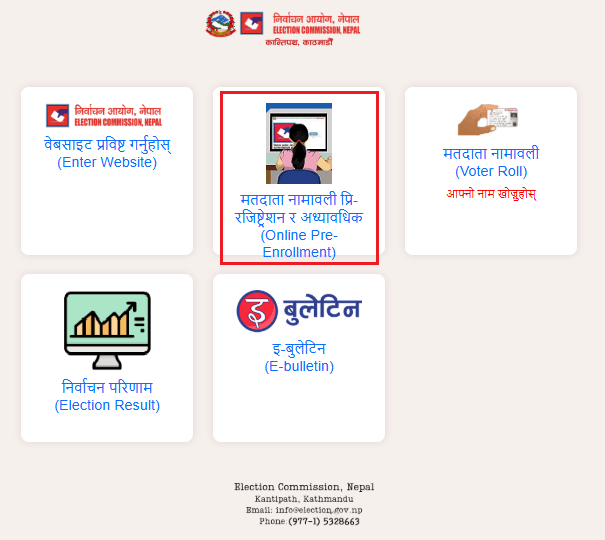
For instance, if you are – applying for Voter ID Card for the first time or want to update previous details, then click on the Online Pre-Enrollment (Voter Pre-Registration and Update) Option.
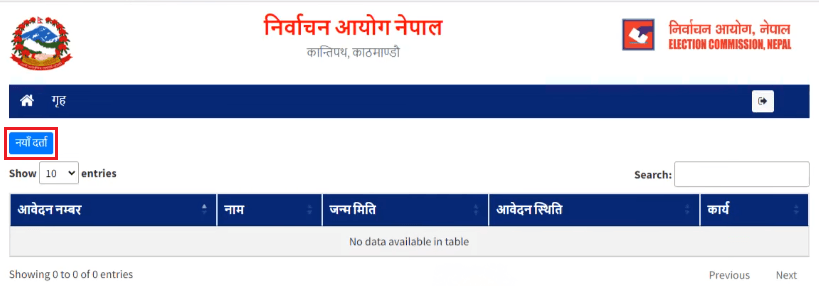
Step 2: For New Voter ID Card, click on “New Registration”.
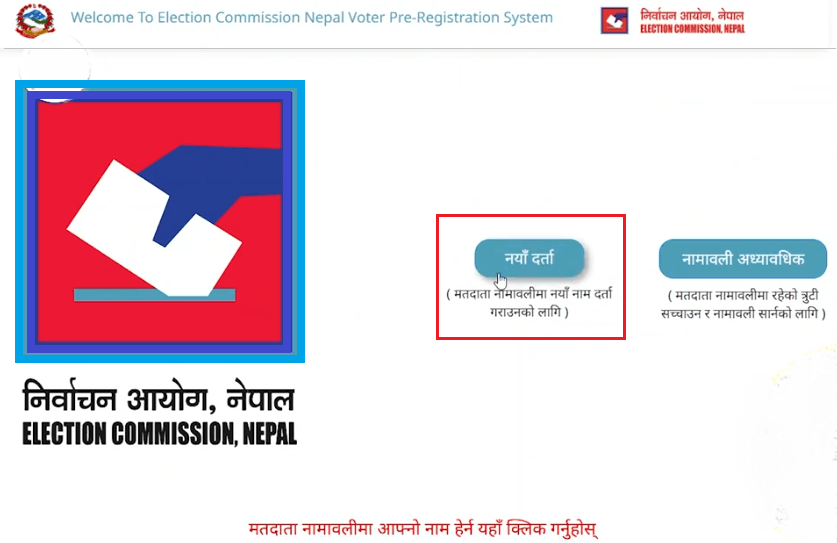
Step 3: Enter your Active Mobile Number and click on Next Arrow.
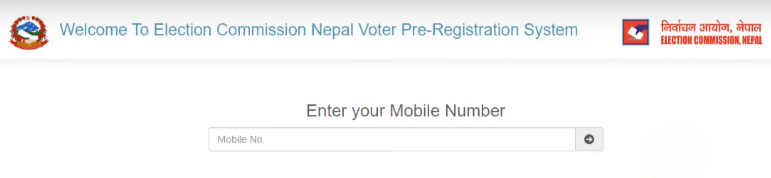
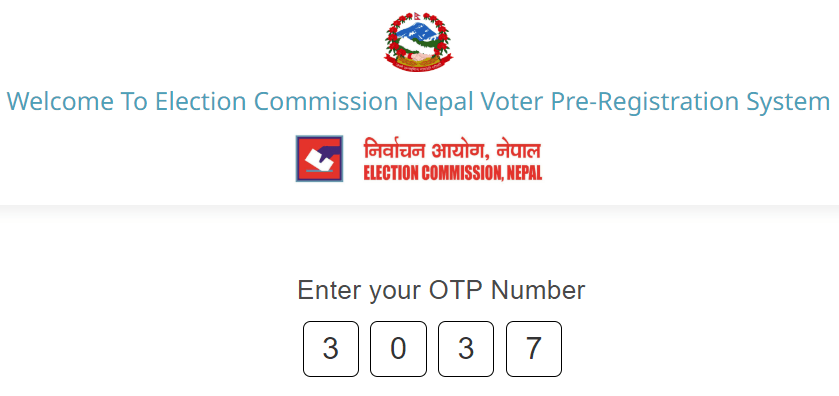
Step 4: Enter the 4 Number OTP (One Time Password) that came to your phone. Then it will automatically verify and a New Page will open.
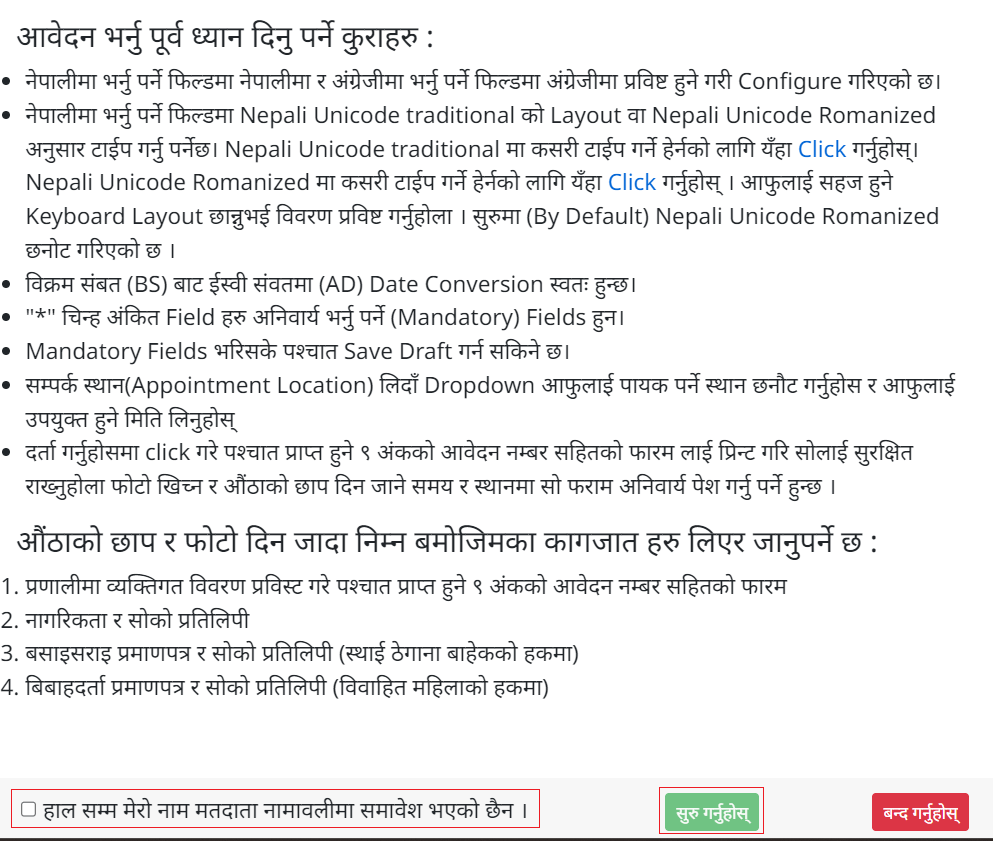
Step 5: Click on “New Registration” on the New Page. Here a notice Box will appear – in which details of things to note while filling the Online Form and required documents will be given – for which please read the FAQ (At The End Of The Article) given below.
Step 6: After reading the details carefully, tick on “Till Now I Have Not Been Included In The Voter List” and click on “Start.
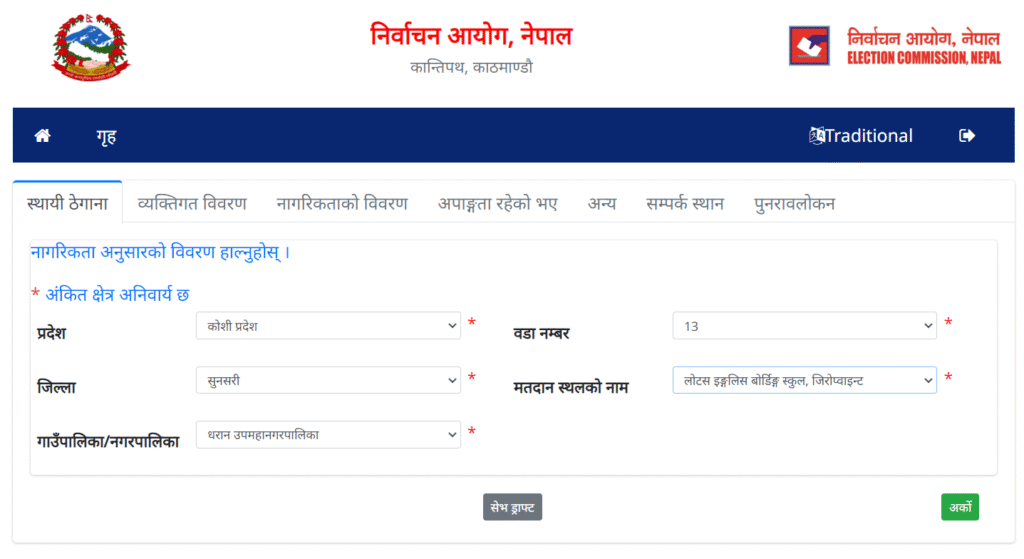
Step 7: Fill all the opened forms one after another. Under which 7 Topics are included – such as.
- Permanent Address.
- Personal Details.
- Citizenship Details.
- If there is Disability.
- Others.
- Contact Place.
- Review.
Step 8: Finally, while filling the Review Form, check all your details carefully and click on “Register”.
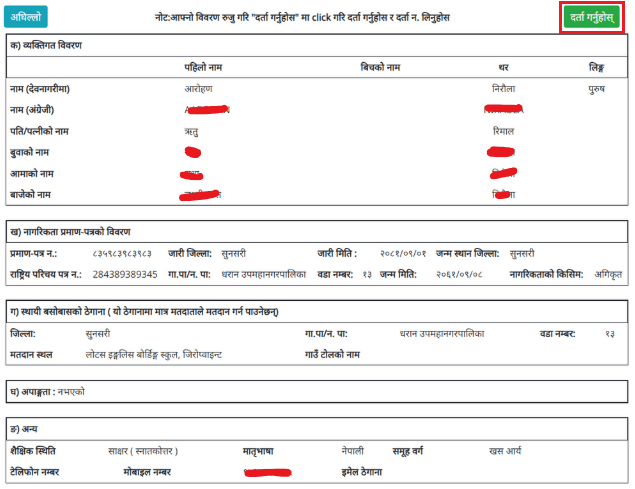
After filling all your details in this way – Download and Print the form with 9 digit application Number and you can receive your Voter ID Card from the contact time and place entered while filling the form (For Kathmandu – District Election Office, Kathmandu and for other districts – concerned District Administration Office).
Voter ID Card – Check Online – Process
If you have applied for a voter ID card in Nepal and are wondering whether your name has been added to the voter list or if your physical card has arrived yet – you have come to the right place.
Here, we will guide you through 2 Easy Methods to perform a voter ID card check online in Nepal, find your voter registration number and even download or take a screenshot of your voter card for use on election day.
This guide will works on both laptop and mobile. No technical skill is required – just follow the steps below.
Step 1: Find Your Voter Number Online
Before you can check or download your voter ID card online, you need your voter registration number (Matadata Number). Here is how to find it.
- Visit the website via. election.gov.np
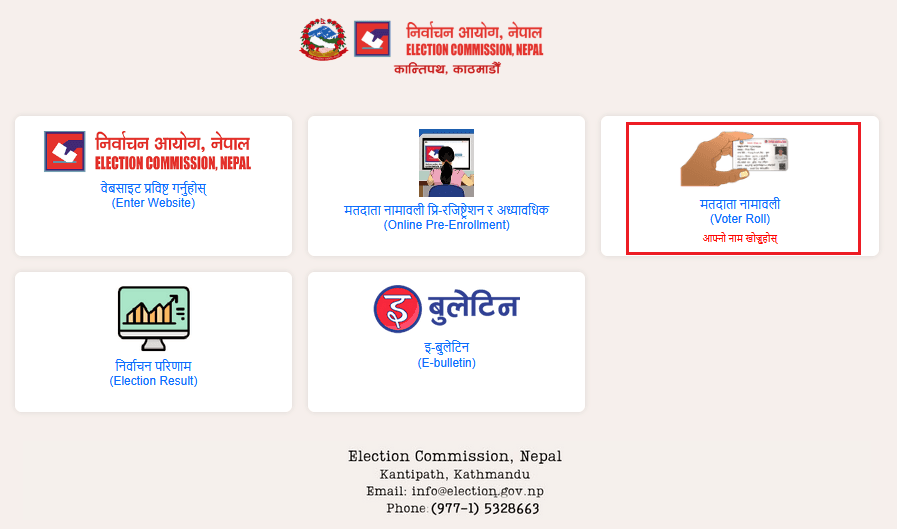
- Click on “Matadata Namawali” (Voter Roll).
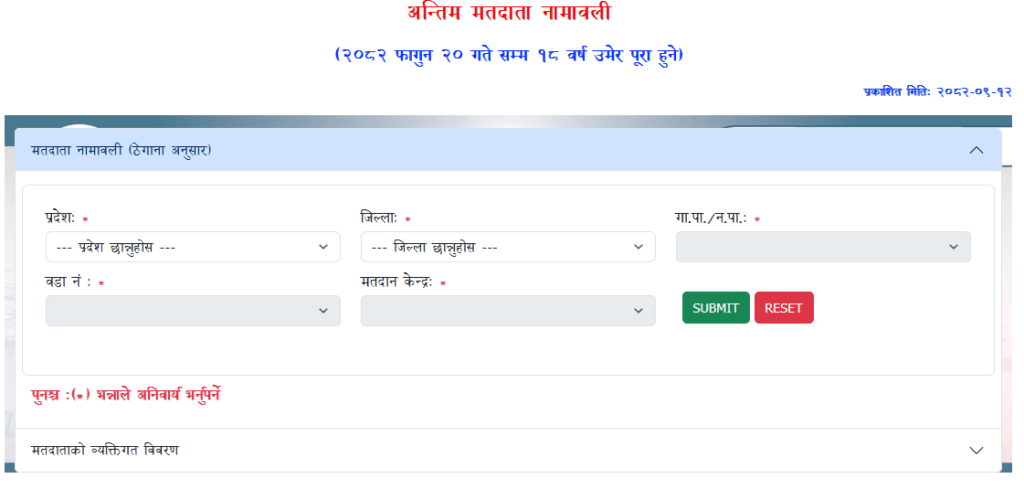
- A form will appear. Select your Province, then your District, then your Municipality or Rural Municipality (Gaunpalika/Nagarpalika).
- Next, select your Ward Number (Wada) from the dropdown.
- Select your Polling Centre (Matadan Kendra).
- Click the Submit button.
Tip: All the information above – province, district, municipality, ward and polling center – is the same information you provided when you first applied for your voter card. Use that same data here.
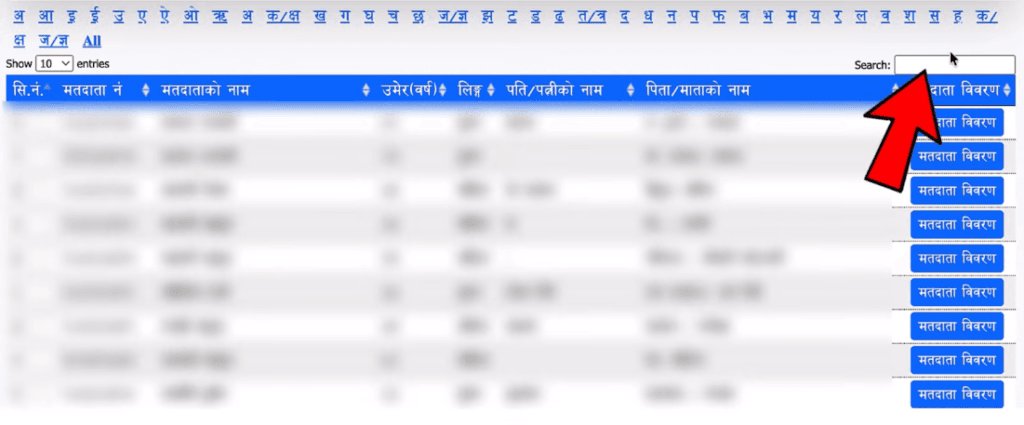
After submitting, the full list of registered voters at your polling center will load. Use the Search box (which appears when you scroll on the page) to find your name. You can Search By.
- Your own name.
- Your father’s or mother’s name.
- Your spouse’s name (husband or wife).
Once you locate your name in the list, note down your Voter Registration Number (Matadata Number). You will need this number in the next steps.
Step 2: Voter ID Card Online Check
Now that you have your voter number, you can check and view your voter ID card using either of the two methods below.
Method A: Using the Nagarik App
- Open the Nagarik App on your smartphone.
- Find and tap the ‘Matadata Parichaya Patra’ option inside the app.
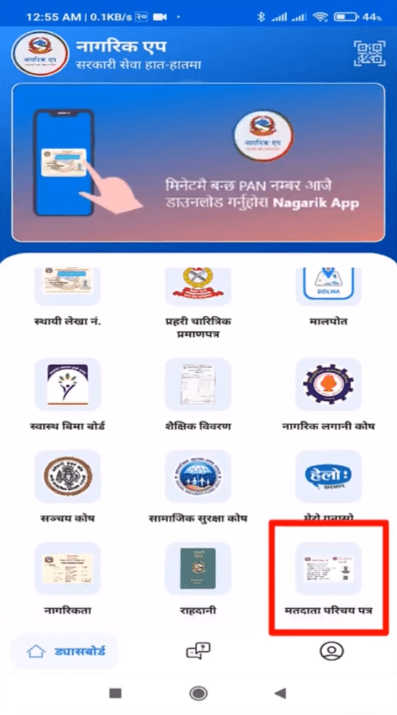
- You will be asked to enter your Matadata Parichaya Patra Number (Voter ID Number).
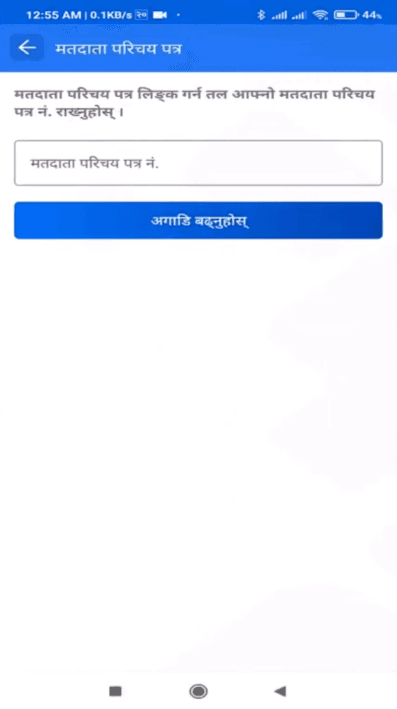
- Paste or type the voter number you copied from the Election Commission website.
- Tap Submit or Search.
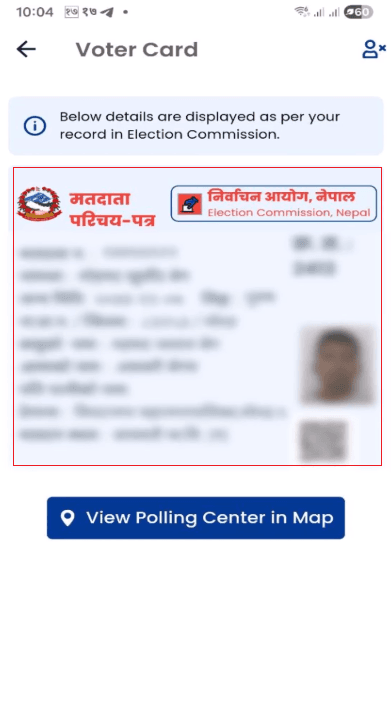
- Your voter ID card will be displayed on screen.
Tip: If this method does not work for you, try Method B Below – both are valid and widely used.
Method B: Using The Nepal Election Commission Website Directly
- Go to election.gov.np again.
- Click on “Matadata Namawali” (Voter Roll).
- This time, select the option “Matadata Namawali Byaktigat Bibaran Anusaar” (Voter List by Personal Details).
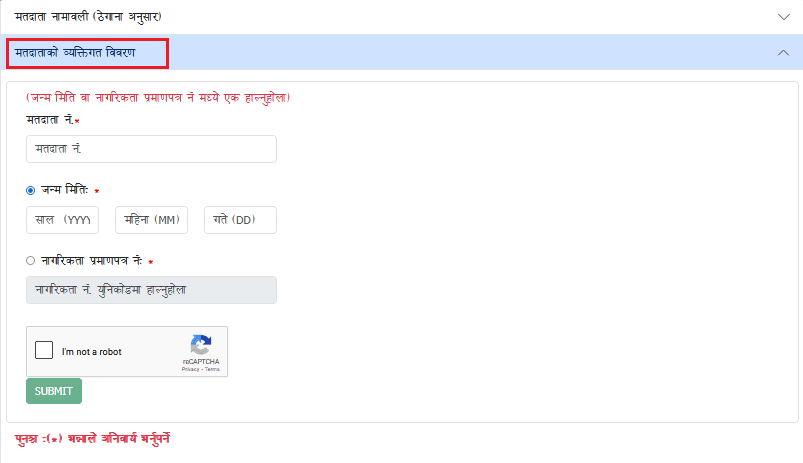
- Enter your Voter Registration Number in the given field.
- Enter your Date of Birth (month, day and year).
- Check the “I am not a robot” (CAPTCHA) checkbox.
- Click Submit.
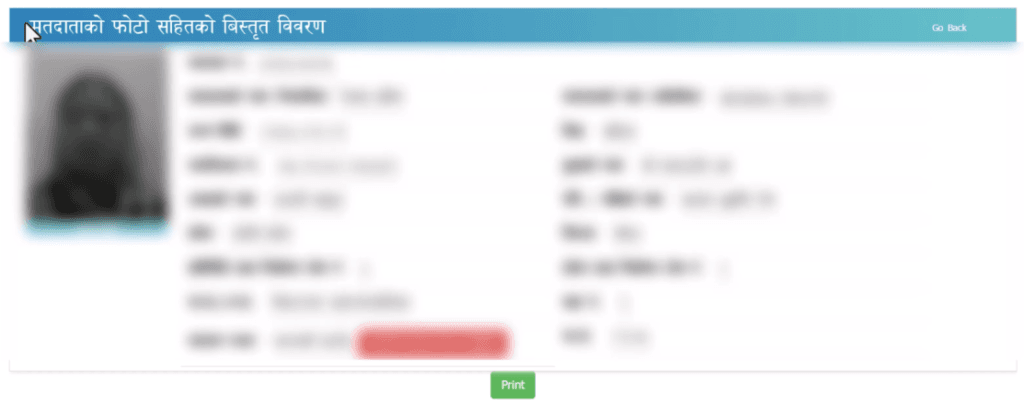
- Wait 10-15 seconds. Your full voter ID card details – including your photo – will appear on screen.
Step 3: Download Or Save Your Voter ID Card
Once your voter ID card is displayed on screen, you have several options to save it.
Option 1: Take A Screenshot
Simply take a screenshot on your mobile or laptop. This screenshot is legally acceptable to show at your polling booth on Election Day.
Option 2: Save as PDF
- Click the Print button on the page (available on both desktop and mobile).
- In the Destination field of the print dialog, select “Save as PDF”.
- Click Save to download the PDF to your device.
Option 3: Print A Hard Copy
On mobile, tap the three-dot menu, select Share, then choose Printer. Select your printer or save as PDF. On laptop, simply use the browser’s print function.
Tip: On mobile, if you cannot see the Print option directly, go to the three-dot menu in your browser, tap Share and then select the Printer option.
How To Check If Your Name Is In The Voter List
If you have recently applied for a voter card and want to confirm whether your application was approved and your name has been added to the official voter list, follow these steps.
- Visit election.gov.np and click on Matadata Namawali (Voter Roll).
- Select your Province, District, Municipality, Ward and Polling Centre.
- Click Submit.
- Scroll down and use the Search box to type your name (in Nepali) or your family member’s name.
- If your name appears, it means you have been successfully registered as a voter.
- Click on your name, then click “Matadata Bibaran” (Voter Details) to verify your full information.
- You will be asked to verify via your Citizenship Number or Date of Birth.
- After verification, your voter ID card PDF will be displayed.
Note: The voter list data is regularly updated. The website displays the publication date so you can confirm when the data was last refreshed.
Tip: If you see an error after clicking submit, do not worry. As long as your name appeared in the voter list, your registration is confirmed. Errors sometimes appear due to high traffic on the website.
What to Do If Your Physical Voter Card Has Not Arrived
If you have confirmed your name is in the voter list but your physical voter ID card has not been delivered to you yet, here is what you can do.
Pick Up Your Physical Card
Visit the Election Office (Nirbachan Karyalaya) or Election Commission office where you originally submitted your biometric data.
Your physical voter card can be collected from there.
Vote Without A Physical Voter Card
In Nepal, you do not need to have your physical voter card to cast your vote.
If your name appears on the official voter list, you are eligible to vote using any of the following valid documents.
- Citizenship Certificate (Nagarikta).
- Driving Licence.
- National Identity Card (Rastriya Parichaya Patra).
- Passport.
- Screenshot or printout of your voter card from election.gov.np
There is no need to worry if your physical card has not arrived. The digital version of your voter card is fully accepted.
When Will Your Name Appear In The Voter List After Applying?
If you have recently submitted your voter card application and your name does not yet appear on the voter list, this is completely normal. Here is what you should know.
- After applying, it takes approximately two to two-and-a-half months for your name to appear in the official voter list.
- Before that, your submitted information needs to go through an approval process.
- Once your application is approved, you will receive a confirmation message.
- After receiving that approval message, wait for another two to two-and-a-half months before checking the voter list again.
Tip: Do not panic if your name is not immediately visible. Just wait for the approval notification and then check again after 2-2.5 months.