
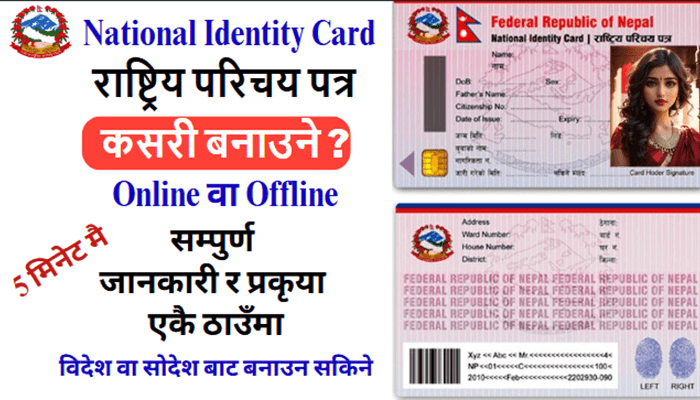
National Identity Card – In Nepal – Online Or Offline
What Is National Identity Card?
A National Identity Card is a type of plastic or smart card that contains the personal details of a citizen. This internationally usable National Identity Card has an Electronic Chip with high security features.
Also Helpful: Police Report Online – Police Clearance Certificate – Complete 2026 Guide
Features Of National Identity Card
- It contains a person’s biometric and demographic details.
- It includes personal information such as: name, father’s name, mother’s name, grandfather’s name, address, date of birth and other details that are found in Nepali citizenship documents.
- This National Identity Card records the person’s photo, eye IRIS, a 10-digit unique number, personal details, as well as scanned records of the person’s 10 fingerprints.
In the coming days, the Nepal government will add other necessary personal details to the National Identity Card, Such As.
- In the future, this National Identity Card can be used as Nepali citizenship, personal identification, voter identity card and social security card.
- The National Identity Card will contain/record of personal details registered from a person’s birth to death.
- Additionally, this National Identity Card will also contain details of the person’s driving license.
- Separate reader machines will be arranged in relevant agencies or offices to view the details of the National Identity Card.
Places Or Relevant Offices To Make A National Identity Card
Places or relevant offices in each district to make a National Identity Card:
- District Administration Office.
- Area Administration Office.
- Nearest Mobile/Ghumti Registration Unit.
If your home is outside the Kathmandu Valley but you want to make your National Identity Card from the Valley due to your work-related reasons, you can submit your application according to your district from the offices mentioned below.
| Registration Places | Permanent Residence Province And District |
| District Administration Office, Lalitpur | • Service Recipients From All Districts Of Karnali Province. • And Sudurpaschim Province. As Well As Saptari And Sarlahi Districts Of Madhesh Province. |
| Narayanhiti Palace Museum Premises | • All Districts Of Koshi Province, Lumbini Province And Gandaki Province. • Districts Of Bagmati Province Excluding Kathmandu, Bhaktapur, Lalitpur. • Service Recipients From Siraha, Mahottari, Dhanusha, Bara, Parsa. • Rautahat Districts Of Madhesh Province And Families Of National Service Employees. |
| National Identity Card and Registration Department | • National Service Employees Of The Government Of Nepal And Its Subordinate Organizations. • Former Employees, And Distinguished Officials. |
Documents Required When Making A National Identity Card
Generally, when making a National Identity Card, only a person’s citizenship is sufficient, but if a person does not have citizenship, other documents that reveal the person’s identity may be required, Such As.
- Original certificate of Nepali citizenship.
- Original certificate of migration (if the permanent address is different from the one mentioned in the citizenship).
- In case of married persons, if the name of husband or wife is mentioned in the citizenship, the same certificate – otherwise, original certificate of marriage registration or marriage certificate.
- In case the date of birth is not mentioned in the citizenship certificate, official proof showing the date of birth (birth registration, educational certificate, passport, pension document).
- If a national service employee of the Government of Nepal and its subordinate organizations, a copy of employee identity card – if a former employee, retirement authority letter or retired employee identity card.
- For those in the family of national service employees, former employees and distinguished officials of the Government of Nepal and its subordinate organizations, in addition to the documents mentioned above, a copy of an employee identity card is sufficient for making an NID.
- If the documents mentioned above are not available, other documents that confirm the details.
Steps For Making A National Identity Card
In today’s time, a National Identity Card is extremely necessary for every Nepali citizen residing abroad or in the country for various government and private work.
If you are also trying to make a National Identity Card online or offline while residing abroad or in the country, please follow the steps given below.
Step 01: Form Filling/Submitting Application
When you are submits an application, all personal details must be filled in the form provided by the concerned office in an understandable manner. You can do this work in two (2) ways.
First Method: Offline Form Filling
- You must be physically present at the concerned office during office hours and go to the place where biometrics are given and fill the form by hand.
- The following details must be filled mandatorily while filling the form.
- Name and surname
- Date of birth
- Gender
- Mother and father’s name
- Address – permanent and temporary
- Citizenship details (such as: type of citizenship, number, issuing district, issuing date, etc.)
- Mobile Number (Note: As far as possible, use the Mobile No. registered on your citizenship or your personal ID.)
- Grandfather and grandmother’s name, etc.
Second Method: Online Form Filling
The Process for filling the online form are as follows.
Process 01 – Open any browser (Google Chrome, Opera, Firefox, And Brave Etc.) on your mobile or laptop/desktop.
Process 02 – Open the Google Search Box inside the browser.
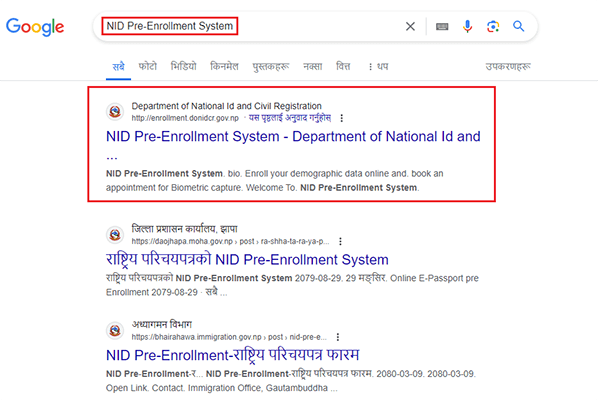
Process 03 – Type ‘NID Pre-Enrollment System’ in the Google Search Box and click here (NID Pre-Enrollment System).
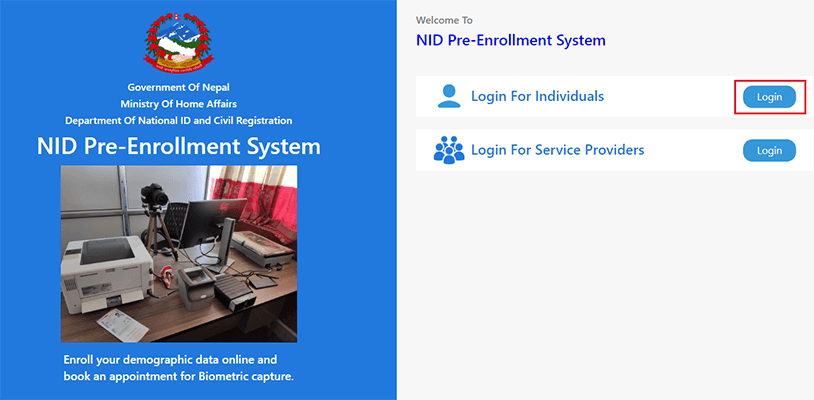
Process 04 – After going to the ‘NID Pre-Enrollment System’ website, login to ‘Login For Individuals’.
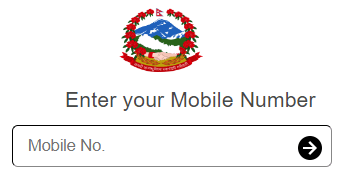
Process 05 – Enter your Mobile No. and click on Next/Right Arrow.
- (Note: As far as possible, please use the Mobile No. registered in your citizenship or your personal ID.)
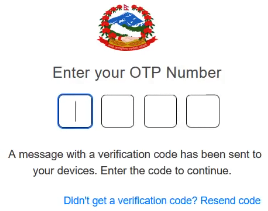
Process 06 – Enter/Verify the ‘OTP’ number received on your Mobile No.
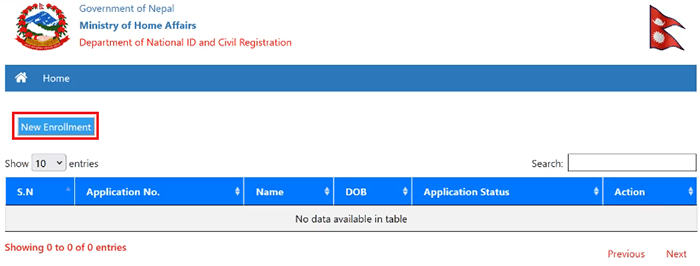
Process 07 – Click on ‘New Enrollment’ Option.
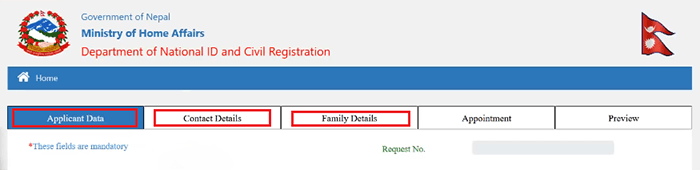
Process 08 – Fill all the opened forms one after another – Such As. ‘Applicant Data’, ‘Contact Details’ and ‘Family Details’.
Note: When filling the form, all fields marked with a red asterisk (*) are mandatory to fill – Such As.
- Name and Surname
- Date of Birth
- Gender
- Mother’s and Father’s Name
- Address – Permanent and Temporary
- Citizenship Details (such as: type of citizenship, number, issuing district, issuing date, etc.)
- Mobile Number (Note: As far as possible, please use the Mobile No. registered in your citizenship or your personal ID.)
- Grandfather’s and Grandmother’s Name, etc.
Process 09 – When filling ‘Appointment’ Details, enter the province, district, rural municipality/municipality and ward number where you are or you can go and also enter the Bio Metric giving place and date and click on Search.
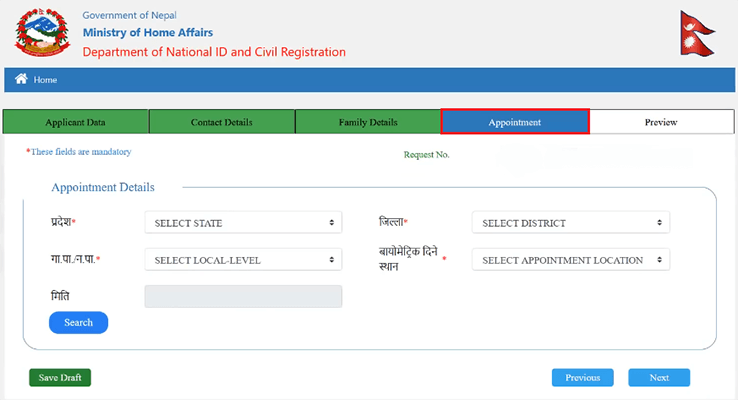
- [Note: If you cannot fill ‘Appointment’ Details – you will have to go to your nearest District Administration Office or concerned office and fill the offline form (As – First Method).]
Process 10 – After searching, select the official time (Time Slot) and Remaining Quota for the day you are going in Action.
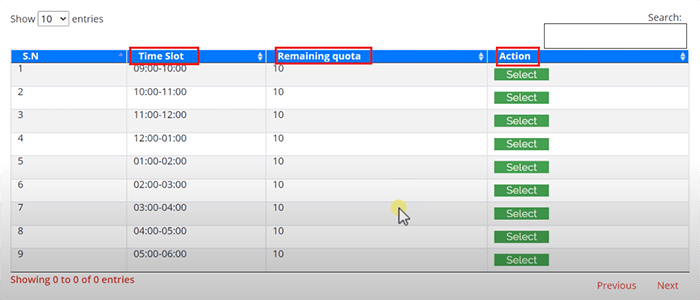
Process 11 – Finally, check all your details in ‘Preview’, correct any incorrect details and if correct, click on Submit.
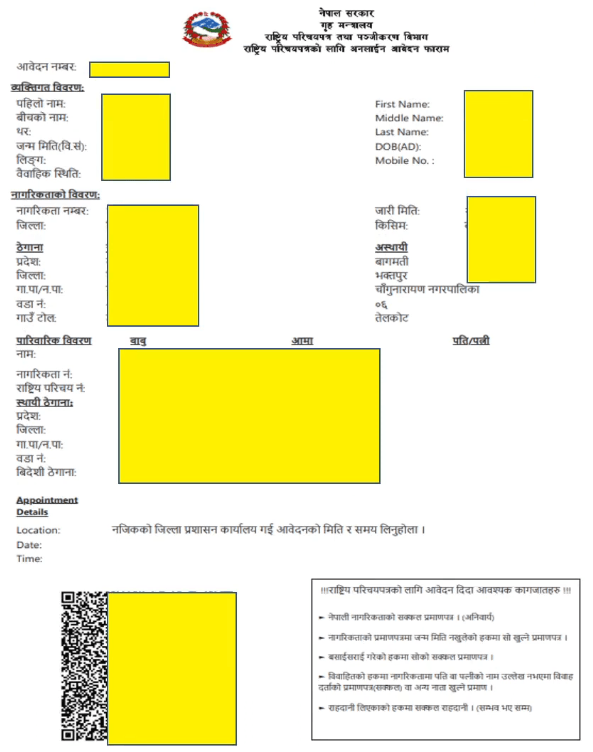
Process 12 – Take a print of the Receipt/Pdf with QR Code or Application ID and go to the place where you took ‘Appointment’ or the nearest District Administration Office for biometric (Bio-Metric) details.
Step 02: Form Submission
- If you have filled the offline form, submit it where you took the form from.
- If you have filled the online form, take a print of the Receipt/Pdf with QR Code or Application ID and go to the place where you took ‘Appointment’ or the nearest District Administration Office or concerned office for biometric (Bio-Metric) details.
Step 03: To Approve
After filling and submitting the form, the approval officer checks the details filled in the form and the documents you have submitted. In this, the following matters are checked.
- Whether the filled details are correct or not.
- Whether the citizenship certificate is genuine, unclear or ripped off or not.
- Whether the date of birth mentioned in the citizenship is clearly mentioned in both Nepali/English or not, or whether husband’s, wife’s name is mentioned or not, or whether there is a different address than the citizenship after migration or not.
If not as mentioned, the approval officer may also ask to present a new copy or necessary supporting documents.
If the filled details and necessary documents are found correct – the approval officer puts Approval/Signature and sends it to the operator to enter the details in the system.
Step 04: Giving Bio-Metric Details
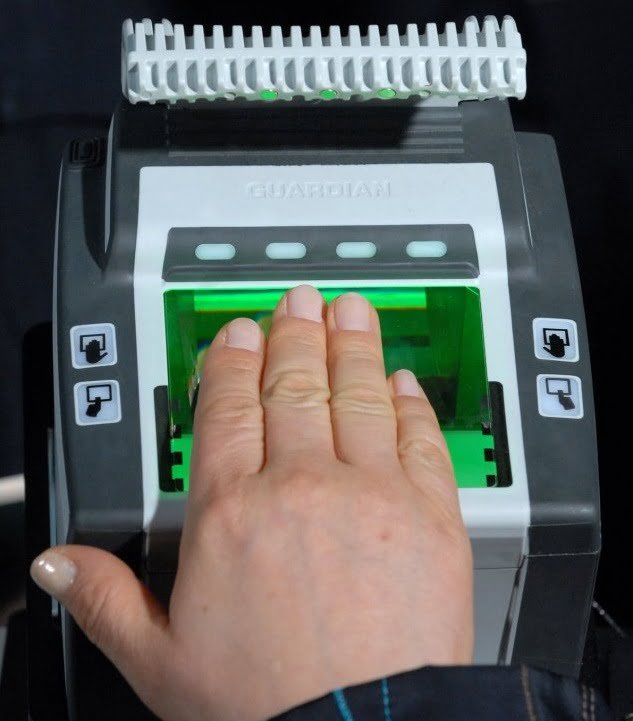
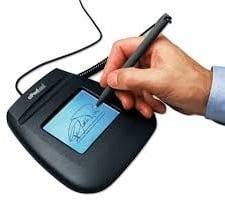
After your details are entered in the System by operator then, you have to give biometric (Bio Metric) details. Under which.
- Eye IRIS
- 10 Finger Prints
- Electronic Signature

Step 05: Conformation Page
Check all your details on the Confirmation Page (printed and given by the operator) and if any detail are incorrect, ask the operator to correct it at that same time.
Now correcting the error (incorrect details) and print of the Confirmation Page again – then, you should sign in the applicant’s place on the Confirmation Page.
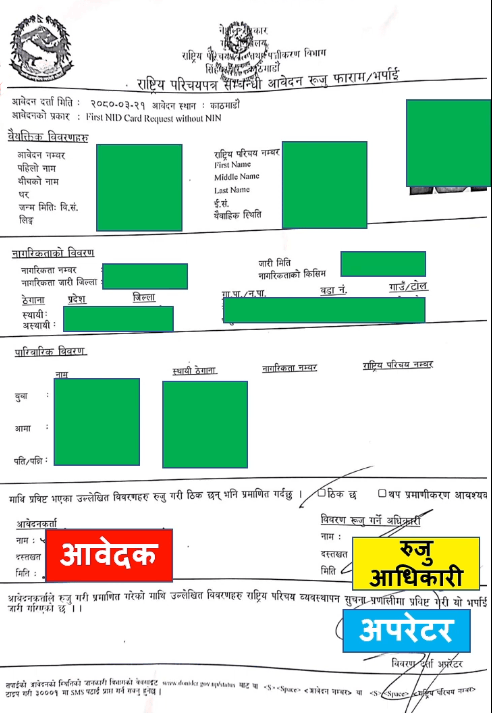
After that, take the Confirmation Page and go to the approval officer and after being certified or signed by the approval officer, get the operator’s signature as well and take it yourself.
- You should keep this final Confirmation Page Safely until you receive the National Identity Card.
Step 06: Confirmation SMS
If all details are correct – within a few days, a Confirmation SMS from the Department Of National ID And Civil Registration (DoNIDCR) will arrive on the Mobile No. you provided while filling the form, stating that the National Identity Card has been made.
The received Confirmation SMS contains the service recipient’s name and the 10 – digit Number of the service recipient’s National Identity Card.
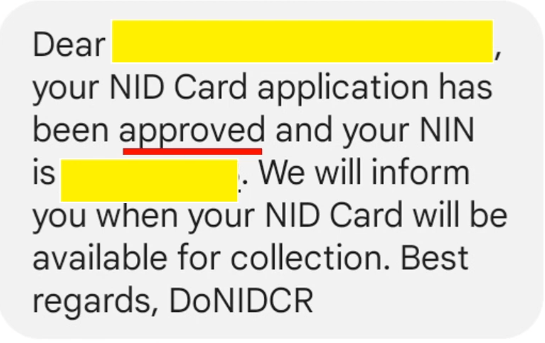
Also, after the National Identity Card is made, a notification comes from the Department Of National ID And Civil Registration (DoNIDCR) to your same Mobile No.
- The 10 – digit number of the National Identity Card received from the Confirmation SMS and the Confirmation Page itself – are useful for all work of the National Identity Card until the National Identity Card is made.